
Cloudflare Reverse Proxy Guide: Mastering Web Protection 2025
Did you know that cyberattacks have surged by over 30% in the past year, making 2025 a pivotal moment for online security? As digital threats grow more sophisticated, mastering the cloudflare reverse proxy is no longer optional - it’s essential for anyone serious about web protection.
Cloudflare stands out as a global leader, shielding millions of websites with its cutting-edge reverse proxy technology. This guide will walk you through everything you need to know, from the basics of reverse proxies to advanced security, optimization, and troubleshooting techniques.
Here’s what you can expect:
- The fundamentals of reverse proxies and how they safeguard your site
- What makes Cloudflare’s approach unique in the industry
- Step-by-step setup instructions for a seamless deployment
- Advanced security and performance optimization strategies
- Troubleshooting tips and a look at future trends in web protection
Ready to transform your site’s security and performance? Follow each section to fully master the cloudflare reverse proxy and stay ahead of tomorrow’s threats.
Understanding Reverse Proxies and Cloudflare’s Role
The internet landscape is rapidly evolving, and understanding how a cloudflare reverse proxy works is now essential for anyone aiming to secure and optimize their online presence. At its core, this technology acts as a protective and performance-enhancing barrier, shaping how web traffic flows between users and servers.
What Is a Reverse Proxy?
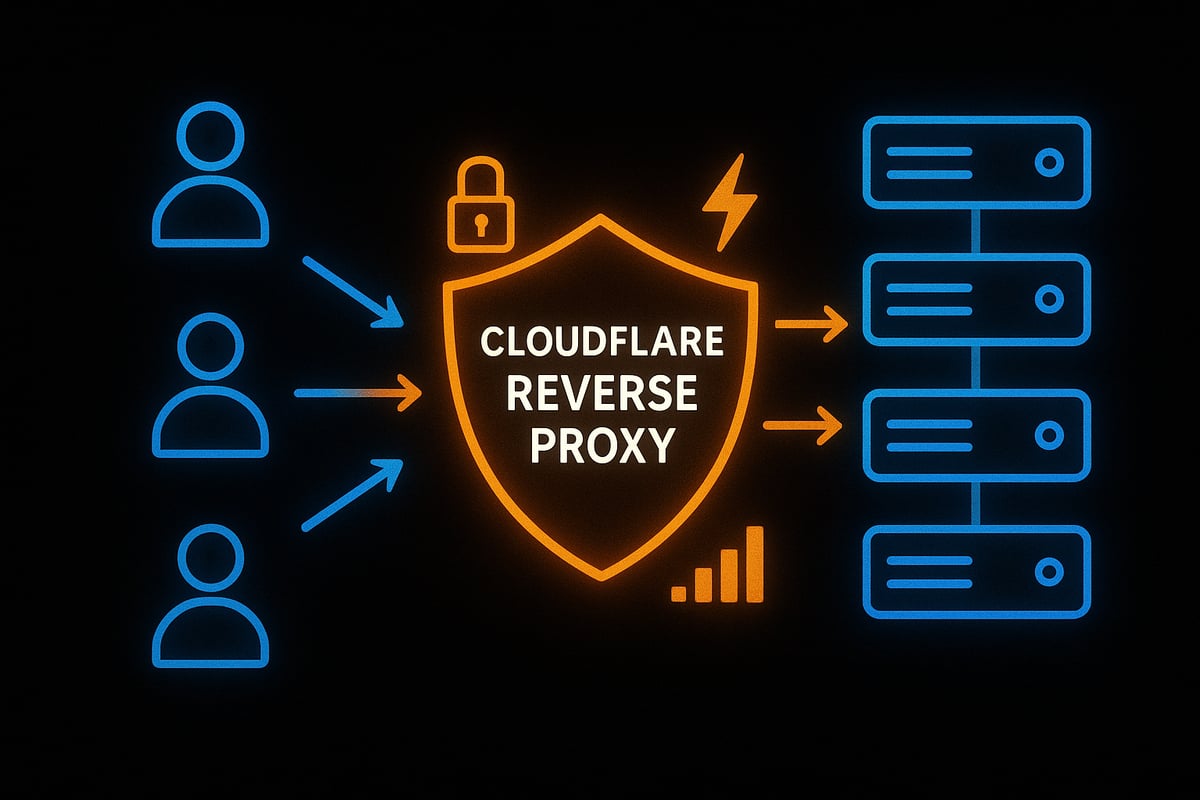
A reverse proxy is a server that sits between end users and one or more web servers, forwarding client requests to the appropriate backend. Unlike a forward proxy, which acts on behalf of users to access the internet, a reverse proxy acts on behalf of servers to manage and filter incoming traffic.
By placing a reverse proxy in front of your origin servers, you effectively mask their real IP addresses. This setup acts as a security gateway, inspecting, filtering, and routing requests before they ever reach your infrastructure.
Typical flow:
- User → Reverse Proxy → Origin Server
Common use cases for a cloudflare reverse proxy include load balancing, SSL offloading, caching, and DDoS mitigation. These capabilities make reverse proxies foundational for modern web security and performance.
Key Benefits of Reverse Proxies
Reverse proxies deliver several core advantages for web infrastructure:
- Enhanced security: Hides origin IP addresses and blocks direct attacks.
- Performance improvement: Enables caching, compression, and smart routing.
- Reliability: Provides failover and load balancing for higher uptime.
- Scalability: Handles sudden traffic spikes with ease.
- Compliance: Assists with GDPR, PCI DSS, and other regulatory requirements.
A cloudflare reverse proxy not only streamlines traffic but also adds layers of defense, making it easier to meet both technical and legal standards.
Cloudflare as a Reverse Proxy: Core Features
Cloudflare stands out as a leading reverse proxy provider, integrating a global CDN to accelerate content delivery regardless of user location. Its network spans over 300 cities and protects more than 25 million internet properties.
Key features include:
- DDoS protection: Mitigates attacks at both network (L3/L4) and application (L7) layers.
- Web Application Firewall (WAF): Stops threats in real time.
- SSL/TLS management: Automates certificate issuance and renewal for encrypted traffic.
- Bot management and rate limiting: Detects, blocks, or challenges malicious bots and abusive requests.
Unlike traditional setups, a cloudflare reverse proxy brings these tools together in a unified platform, simplifying management and amplifying protection. For a deeper dive into the architecture and how these features work together, explore Cloudflare's Reverse Proxy Architecture.
How Cloudflare Differs from Traditional Reverse Proxies
Cloudflare operates at the global edge, not just on a single server or datacenter. This means your cloudflare reverse proxy benefits from worldwide points of presence, reducing latency and increasing resilience.
Cloudflare delivers always-on threat intelligence, using automated updates to respond instantly to new vulnerabilities. Its platform integrates DNS, CDN, and security, creating a seamless solution for modern web demands.
The zero-trust security model and compatibility with DevOps tools set Cloudflare apart from legacy solutions. For example, Cloudflare can automatically mitigate new threats without manual intervention, as demonstrated when it neutralized a 71 million requests-per-second DDoS attack in 2023.
A cloudflare reverse proxy is designed for a future where threats and traffic can come from anywhere, ensuring your site remains secure, fast, and reliable.
Step-by-Step Guide: Setting Up Cloudflare as Your Reverse Proxy
Setting up a cloudflare reverse proxy is a straightforward process when you break it down into clear steps. This guide simplifies each stage, ensuring you can confidently secure and optimize your website. Let’s walk through the entire configuration from planning to validation.
Prerequisites and Planning
Before you begin, make sure you have all the essentials for a successful cloudflare reverse proxy deployment. You’ll need a registered domain and access to its DNS records. Review your current web server setup, identifying which endpoints and applications need protection.
Assess typical traffic patterns, as this helps in choosing the right Cloudflare plan - Free, Pro, Business, or Enterprise. Don’t forget to establish a reliable backup and rollback strategy in case issues arise during the process. For a more in-depth walkthrough, check out this Cloudflare proxy configuration guide to prepare effectively.
Adding Your Website to Cloudflare
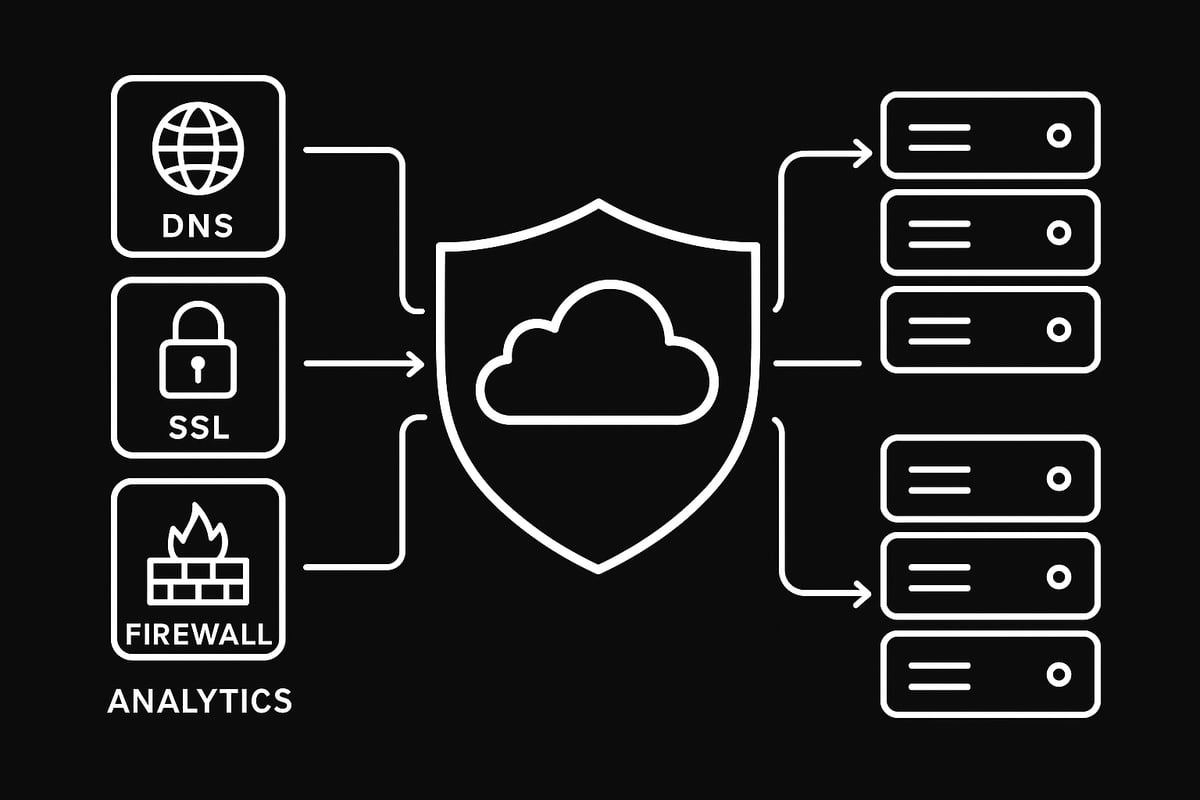
Start by creating a Cloudflare account and logging in. Add your domain to the dashboard, where Cloudflare scans existing DNS records automatically. Review the scanned records for accuracy; this step is crucial for a seamless cloudflare reverse proxy setup.
Next, Cloudflare will provide new nameservers. Update your domain registrar’s settings to point to these nameservers. DNS changes might take some time to propagate globally. Once propagation completes, Cloudflare will begin proxying traffic for your site.
DNS Configuration and Proxy Status
Understanding Cloudflare’s proxy status icons is key. The orange cloud means your traffic is proxied through the cloudflare reverse proxy, while the gray cloud indicates DNS-only mode. For full protection, ensure A, AAAA, and CNAME records for your main domain and subdomains are set to orange.
If you need to secure non-standard ports or additional subdomains, consider Cloudflare Spectrum. For example, proxy www, files, and API subdomains to benefit from the full suite of security and performance features.
SSL/TLS Setup and Origin Certificates
Securing traffic between users, Cloudflare, and your origin server is a must for any cloudflare reverse proxy configuration. In the dashboard, choose between Flexible, Full, or Full Strict SSL/TLS modes. Full Strict is the most secure, requiring a valid certificate at your origin server.
Generate and install a Cloudflare Origin Certificate on your server to enable encrypted connections end to end. Watch out for mixed content warnings or certificate mismatches, as these can cause browser errors. Ensure each proxied domain has valid SSL to maintain user trust.
Firewall and Access Control Rules
With your cloudflare reverse proxy in place, it’s time to fine-tune security. Set up Cloudflare Firewall Rules to block or allow traffic based on country, IP range, or other criteria. Use IP Access Rules to allow trusted partners or block known threats.
Enable rate limiting to prevent brute-force attacks and abuse. For extra protection, configure your origin firewall to block all non-Cloudflare IPs, ensuring only filtered traffic reaches your server. This layered approach reduces the risk of direct attacks.
Testing and Validation
After configuration, test each aspect of your cloudflare reverse proxy setup. First, confirm DNS propagation and proxy status using online tools. Check SSL/TLS validity to avoid browser security errors.
Simulate common attacks to verify DDoS and WAF protections are active. Monitor real-time analytics in the Cloudflare dashboard for unusual patterns. If problems arise, use your rollback plan to restore previous settings and maintain uptime.
Advanced Cloudflare Reverse Proxy Security Features
The cloudflare reverse proxy unlocks layers of advanced security features that go far beyond basic traffic routing. With a focus on proactive protection, these tools help shield your site from the ever-evolving web threat landscape. Let’s break down the most powerful security options you can deploy right now.
Web Application Firewall (WAF) and Custom Rules
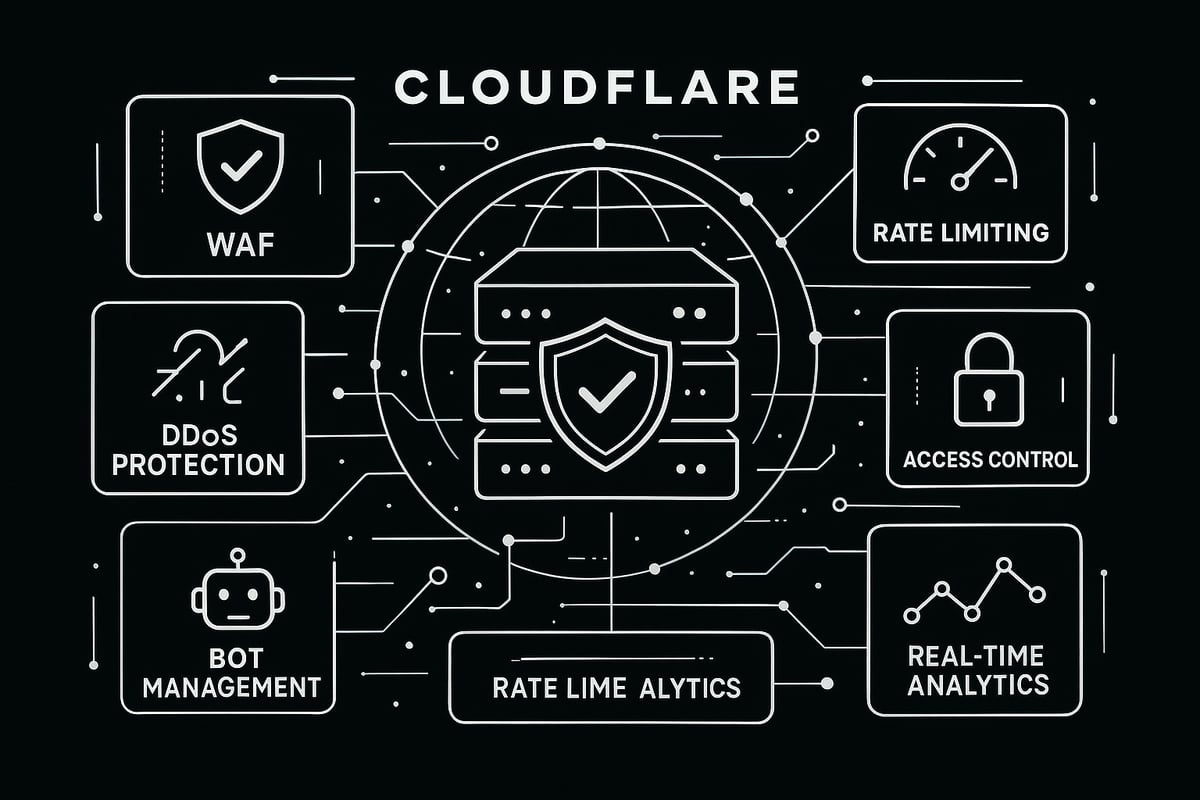
A cloudflare reverse proxy comes packed with a robust Web Application Firewall. This WAF instantly blocks known threats using managed rulesets that are updated in real time. You can also create custom rules to target specific vulnerabilities unique to your application.
Typical protections include:
- Blocking the OWASP Top 10 threats, like SQL injection or XSS
- Filtering traffic by country or ASN
- Rate-limiting suspicious requests
For example, you can set a rule to block requests containing suspicious SQL keywords or patterns. In 2023, the Cloudflare WAF blocked billions of attacks, demonstrating its effectiveness. For a deeper dive into these capabilities, you can review the Cloudflare Security Services Overview.
DDoS Protection and Bot Management
The cloudflare reverse proxy provides always-on DDoS protection at both network (L3/L4) and application (L7) layers. This means your site is shielded from volumetric floods and more targeted attacks that could otherwise take it offline.
Bot management is another core feature. Cloudflare uses machine learning to distinguish good bots from malicious ones. You can deploy JavaScript challenges or CAPTCHAs to verify suspicious traffic, reducing the risk of automated attacks on your forms, APIs, or login pages.
For e-commerce sites, this is especially crucial - volumetric attacks can disrupt sales in seconds. With cloudflare reverse proxy, your online business stays resilient.
Rate Limiting and Traffic Filtering
Rate limiting is essential for stopping brute-force login attempts and API abuse. With a cloudflare reverse proxy, you can set thresholds for requests per second or minute on specific endpoints.
For example, you might limit POST requests to /login to 5 per minute per IP address. Advanced rules let you filter by HTTP method, header, or path, so you can tailor protections to your app’s needs.
Key benefits include:
- Preventing credential stuffing attacks
- Stopping abusive traffic before it reaches your origin
- Reducing server load from repeated requests
Deploying these controls with a cloudflare reverse proxy keeps your web applications healthy and responsive.
Secure Origin Configuration
Securing your origin server is a critical step with any cloudflare reverse proxy deployment. The best practice is to only allow Cloudflare IP ranges to access your origin, ensuring attackers can’t bypass the proxy.
You can further enhance security by:
- Enabling Authenticated Origin Pulls (mutual TLS)
- Regularly rotating origin certificates
- Creating firewall rules that drop all non-Cloudflare traffic
For example, configuring your firewall to only accept connections from Cloudflare’s IPs means even if someone discovers your server’s IP, they can’t reach it directly. This approach gives your cloudflare reverse proxy setup true defense in depth.
Access Control and Zero Trust Integrations
A cloudflare reverse proxy supports Zero Trust access controls for your sensitive applications. With Cloudflare Access, you can enforce identity-based authentication using SSO providers like Google, Okta, or Azure AD.
Benefits of this model:
- Only verified users can reach admin panels or internal tools
- Integration with remote workforce security policies
- Seamless, secure access via Cloudflare Tunnel
For example, you might require multi-factor authentication for your admin dashboard, blocking all unauthorized access attempts. The cloudflare reverse proxy makes it easy to implement these modern, identity-driven protections.
Logging, Monitoring, and Alerts
Visibility is essential to maintaining a secure cloudflare reverse proxy environment. Cloudflare provides real-time analytics and traffic logs so you can monitor threats and performance.
You can easily:
- Set up alerts for unusual traffic spikes or blocked requests
- Integrate logs with SIEM tools for advanced analysis
- Track trends in attack types or sources over time
For instance, if you notice a sudden increase in blocked requests, you can investigate further and tighten security rules as needed. This continuous monitoring helps you stay ahead of emerging threats with your cloudflare reverse proxy configuration.
Optimizing Performance and Reliability with Cloudflare
Maximizing speed and uptime is crucial for any modern website. With a cloudflare reverse proxy, you gain access to an advanced global network designed to keep your site fast, stable, and resilient under any conditions.
Caching Strategies and Content Delivery
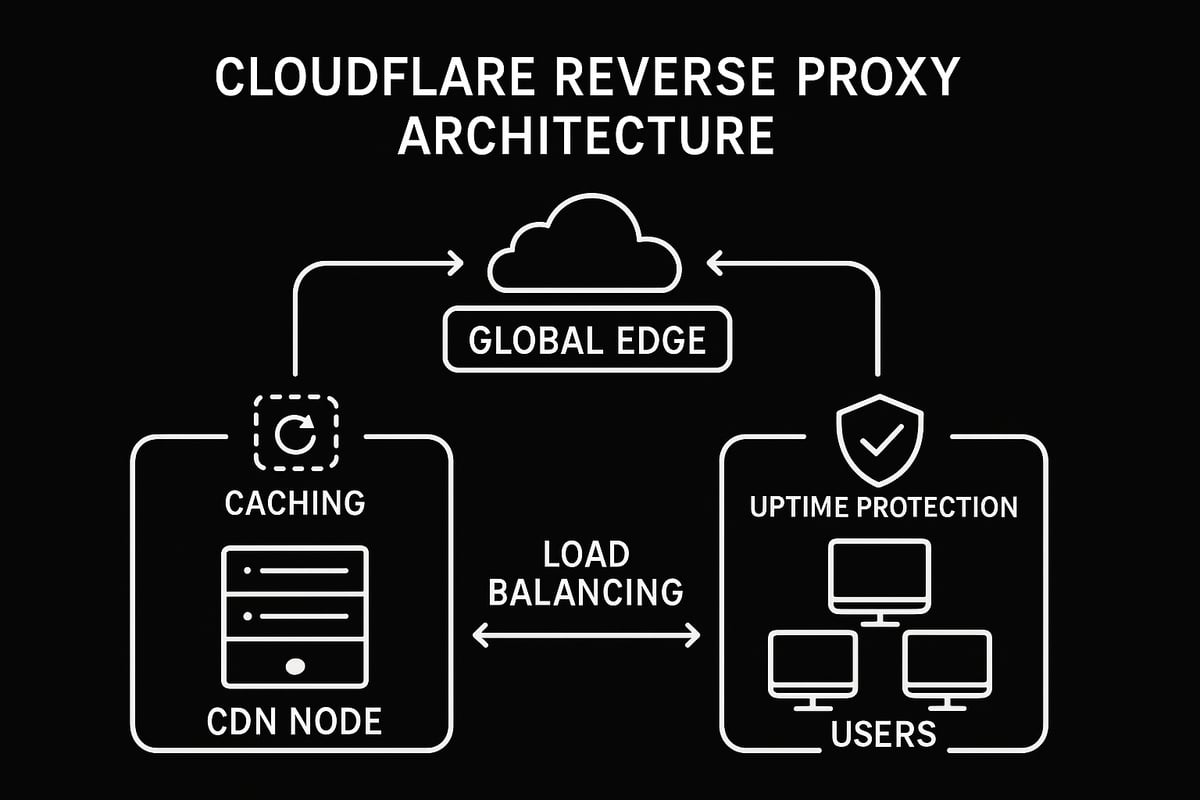
A cloudflare reverse proxy leverages edge caching to accelerate both static and dynamic content. By serving assets from data centers near your users, it reduces latency and improves page load times.
You can fine-tune caching with page rules, set custom cache levels for images or scripts, and purge outdated files instantly. For media-heavy sites, cache everything rules minimize origin server load. Features like "Bypass Cache on Cookie" help with personalized content.
Table: Caching Options
| Feature | Benefit |
|---|---|
| Static file caching | Faster TTFB |
| Custom cache rules | Granular control |
| Instant purge | Immediate updates |
With the cloudflare reverse proxy, your content reaches visitors faster worldwide.
Load Balancing and Failover
Cloudflare reverse proxy includes intelligent load balancing, distributing traffic across multiple origins to maximize uptime. Health checks ensure only healthy servers receive requests, while automatic failover reroutes users if an outage occurs.
- Geo-routing sends visitors to the nearest data center.
- Weighted pools balance loads based on server capacity.
- Session affinity keeps users on the same backend for consistency.
If your main server goes down, the cloudflare reverse proxy directs traffic to backup locations without user disruption. This seamless failover is key for ecommerce and SaaS platforms that demand high availability.
Smart Routing and Argo
Argo Smart Routing is a premium feature of the cloudflare reverse proxy, optimizing every connection using real-time internet intelligence. It finds the fastest, least congested paths across Cloudflare’s Anycast network, reducing latency by up to 30%.
For a deeper dive, review Cloudflare's Global Anycast Network to see how traffic is routed efficiently across continents.
Ecommerce sites and APIs benefit from smoother checkouts and lower abandonment rates. With the cloudflare reverse proxy, your users enjoy consistently fast experiences, even during global traffic spikes.
Image and Content Optimization
The cloudflare reverse proxy offers built-in image and content optimization tools. Enable Polish for image compression, Mirage for adaptive image loading, and auto-minify to shrink HTML, CSS, and JS files.
- Brotli compression speeds up asset delivery.
- Adaptive loading ensures images fit device screens.
- Cache-control headers optimize browser caching.
These features are especially helpful for sites with large media libraries. The cloudflare reverse proxy ensures faster load times without sacrificing quality or SEO.
Always Online and Reliability Features
With Always Online, the cloudflare reverse proxy serves cached content even if your origin server is unreachable. This keeps your site visible during outages or maintenance.
- Automatic retries attempt to reconnect to your origin.
- Custom error pages inform visitors gracefully.
- Analytics track uptime and error rates for proactive monitoring.
Cloudflare reverse proxy consistently delivers over 99.99 percent uptime, giving you peace of mind that your web presence remains stable and performant.
Troubleshooting and Best Practices for Cloudflare Reverse Proxy
Running a cloudflare reverse proxy can occasionally bring up challenges, but with the right troubleshooting strategies, you can ensure smooth operation and top-notch security. Let’s break down the most common issues and the best ways to keep your setup resilient.
Common Setup Issues and Solutions
When configuring your cloudflare reverse proxy, you might face DNS misconfigurations, propagation delays, or SSL/TLS handshake errors. These can cause downtime or security warnings for your users.
- Double check your DNS records for accuracy.
- Allow up to 24 hours for propagation after switching nameservers.
- For SSL/TLS errors, ensure your certificate matches your domain and is valid.
- Watch out for mixed content issues if your site loads resources over HTTP.
If you need a detailed setup walkthrough or run into persistent issues, consider this guide on configuring Cloudflare as a reverse proxy. It covers DNS and SSL/TLS troubleshooting in depth.
Debugging Traffic and Logs
Cloudflare reverse proxy provides extensive analytics and logging tools to help you spot and resolve issues quickly. Use the Firewall Events and Security Overview dashboards to identify blocked or challenged requests.
- Check Ray IDs for individual requests to trace problems.
- Review logs for spikes in errors or blocked traffic.
- Analyze real-time data to monitor traffic patterns.
For API calls or webhooks, tracing requests through these tools can reveal whether issues stem from firewall rules, bot protection, or other security features.
Maintaining Security and Performance Over Time
Staying proactive is vital for your cloudflare reverse proxy. Regularly update your firewall and WAF rules to reflect new threats. Monitor analytics for unusual traffic, such as sudden spikes or drops, which could indicate attacks or misconfigurations.
- Schedule periodic reviews of all security settings.
- Adjust rate limits as your traffic evolves.
- Keep up with Cloudflare’s feature updates and advisories.
This ongoing vigilance ensures your reverse proxy remains a strong shield for your website, even as threats change.
Expert Tips and Community Insights
Leverage the vibrant Cloudflare community and official documentation for advanced troubleshooting and optimization. Participate in webinars or learning paths to stay ahead of new features and best practices for your cloudflare reverse proxy.
- Explore real-world case studies for practical insights.
- Tap into community forums for solutions to unique challenges.
- Experiment with Workers and custom rules for tailored protection.
By combining expert advice with continuous learning, you’ll master both the technical and strategic sides of operating a cloudflare reverse proxy.
The Future of Web Protection: Trends and Innovations in 2025
As we move deeper into 2025, web security is evolving at a rapid pace. The cloudflare reverse proxy model stands at the center of this evolution, adapting to new risks and technologies. Organizations need to stay ahead by understanding upcoming threats and how Cloudflare is preparing to tackle them.
Evolving Threat Landscape and Cloudflare’s Response
Cyber threats are getting smarter. In 2025, attackers are launching more sophisticated DDoS assaults, leveraging AI-driven bots, and exploiting API weaknesses. The cloudflare reverse proxy now uses adaptive, machine learning-powered threat intelligence to detect and mitigate these attacks before they reach your origin servers.
For example, zero-day attacks are identified in real time, and Cloudflare’s global edge updates its defenses instantly. This proactive approach means businesses can rely on the cloudflare reverse proxy to keep their sites safe, even as new vulnerabilities emerge.
Innovations in Reverse Proxy Technology
Modern web protection goes beyond simple traffic filtering. The cloudflare reverse proxy is integrating AI and machine learning for smarter analysis, identifying suspicious patterns and blocking malicious requests automatically. Quantum-resistant encryption is also becoming a standard, protecting data against future quantum computing threats.
Edge computing and serverless functions, such as Cloudflare Workers, allow for real-time threat detection and response at the network edge. To explore how these innovations compare to other solutions, see the Proxy server software overview.
These advancements make the cloudflare reverse proxy a future-ready choice for businesses aiming to stay secure and competitive.
Preparing Your Web Infrastructure for Tomorrow
Staying protected is not just about adopting new tech. It requires regular audits, updating security policies, and planning for scalability. With the cloudflare reverse proxy, businesses can build resilient, compliant, and scalable web infrastructures that adapt as threats change.
Cloudflare’s roadmap includes early adoption of new security protocols, ensuring compliance and robust protection. By embracing these trends, organizations position themselves for success in the shifting landscape of 2025.As you’ve seen throughout this guide, mastering Cloudflare’s reverse proxy is a crucial step to protect your web presence in 2025 and beyond. From advanced firewall setups to next level DDoS mitigation and performance boosts, you can confidently secure and optimize your site. If you’re ready to put these strategies into action and want the speed, privacy, and support that make a real difference, it’s time to take the next step. You don’t have to do it alone - let’s make your online infrastructure as resilient as possible together.
Get Started Now