
Free Proxy for WhatsApp Guide: Secure Access in 2025
Facing WhatsApp restrictions and growing censorship in 2025? Staying connected is more vital than ever. With a free proxy for WhatsApp, you can unlock secure, private messaging no matter where you are. This guide reveals how to choose, set up, and use proxies for WhatsApp on any device, covering essential security and troubleshooting tips. Open communication is your right - let’s ensure you keep it.
Understanding WhatsApp Proxies: What, Why & How
Access to WhatsApp is no longer guaranteed in every country. As more governments and networks clamp down on messaging apps, users are searching for secure methods to regain connectivity. This is where a free proxy for whatsapp becomes crucial.
A proxy server acts as a middleman between your device and the internet. When you connect through a proxy, your requests are routed via another server, masking your real IP address. For WhatsApp, this means your messages and calls can bypass local restrictions, letting you chat as if you were in another country. Using a free proxy for whatsapp allows you to restore access in regions where the app is blocked or throttled.
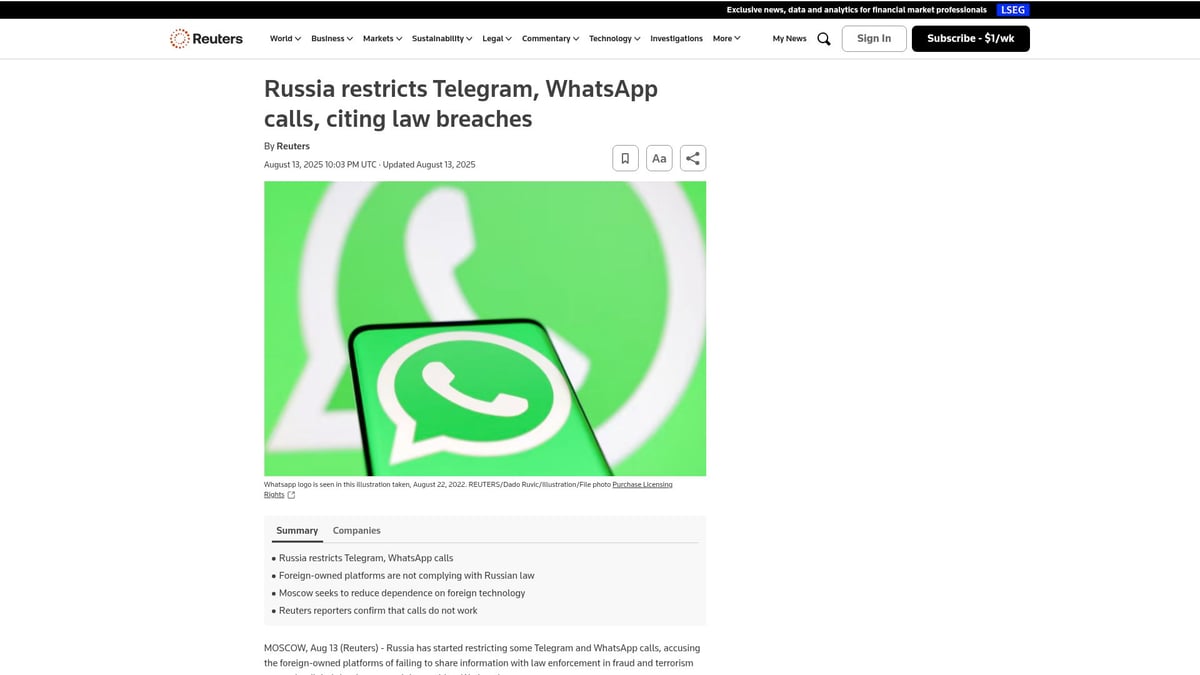
Why are proxies so important in 2025? The answer lies in the rapid escalation of digital censorship, privacy threats, and network controls worldwide. Many countries, like Russia, have started to impose strict limitations on WhatsApp features, including voice calls. In fact, Russia restricts WhatsApp calls, leaving millions of users searching for alternatives. In these scenarios, a free proxy for whatsapp becomes a lifeline, ensuring people can still communicate with friends, family, and colleagues.
Proxies not only help bypass government blocks but also protect against workplace or school firewalls. With a free proxy for whatsapp, you can sidestep both local and international restrictions, maintaining your digital freedom.
Not all proxies are created equal. There are several types, each with its pros and cons for WhatsApp use:
| Proxy Type | Speed | Privacy | WhatsApp Compatibility |
|---|---|---|---|
| HTTP | Fast | Moderate | Good for text/chat |
| SOCKS5 | Fast | High | Best for all features |
| Datacenter | Very fast | Low-Moderate | Varies |
| Mobile | Moderate | High | Excellent, less likely to be blocked |
When choosing a free proxy for whatsapp, understanding these differences is key. HTTP proxies are simple, good for basic messaging, but can lack encryption. SOCKS5 proxies are more versatile and are often the preferred choice for secure, stable WhatsApp access.
How do proxies actually help you get around blocks? When you connect to WhatsApp using a proxy, your internet requests appear to come from the proxy server's location, not your own. This tricks WhatsApp and your internet provider into thinking you are in a country where the service is allowed. A free proxy for whatsapp can also help you bypass geo-restrictions, so you can use the app even if it’s blocked locally.
However, proxies are not foolproof. Sometimes, WhatsApp or your network may detect and block certain proxy IP addresses. This is why it’s important to regularly update your free proxy for whatsapp settings and choose reliable servers.
Security and privacy are major concerns when using any proxy. Here’s what you need to know:
- Some proxies log your activity, which can put your data at risk.
- Free proxies may inject ads or collect information for third parties.
- Weak proxies can expose your IP, compromising anonymity.
- Encrypted proxies (like HTTPS or SOCKS5) are safer for WhatsApp.
In 2025, an estimated 300 million WhatsApp users will face restrictions, especially in regions with strict internet controls like Iran and Russia. The free proxy for whatsapp is often the first solution people try, but it’s important to weigh the trade-offs.
Free proxies are appealing because they cost nothing, but they often come with slower speeds, limited bandwidth, and less robust security. Paid proxies, on the other hand, usually offer better performance, privacy guarantees, and customer support.
Understanding how a free proxy for whatsapp operates and its limitations will help you make informed decisions and keep your conversations safe, no matter where you are.
Choosing the Best Free Proxy for WhatsApp in 2025
With restrictions tightening in many regions, choosing the right free proxy for whatsapp becomes essential for secure and reliable messaging. Not all proxies are created equal, and your choice can directly impact both your privacy and connectivity.
Key Criteria for Selecting a Reliable Free Proxy
When searching for a free proxy for whatsapp, focus on a few core factors. Speed is vital for smooth messaging and media sharing. Uptime matters too, as you need a proxy that works when you do. Server location diversity can help bypass regional blocks and improve performance.
Privacy is another top concern. A reliable free proxy for whatsapp should have a strict zero-log policy, meaning it does not store your connection or browsing data. IPv4 and IPv6 support ensure compatibility with all devices and networks, which is increasingly important as more regions adopt IPv6.
However, free proxies often come with limitations. These can include bandwidth caps, connection limits, and sometimes intrusive ads. Reviewing user feedback and community ratings helps identify which services provide the best experience.
Here is a quick comparison of popular options:
| Proxy Service | Speed | Uptime | Server Locations | Logs Policy | IPv6 Support |
|---|---|---|---|---|---|
| ProxySite | Medium | Good | US, EU | No Logs | Yes |
| Hide.me | High | Excellent | Global | No Logs | Yes |
| KProxy | Low | Fair | Limited | Some Logs | No |
Check recent reviews before choosing a free proxy for whatsapp to avoid slow or unreliable servers.
Security & Legal Considerations
Using a free proxy for whatsapp can introduce security risks if you are not careful. Unsecured or malicious proxies may log your data or inject harmful content. Always verify the trustworthiness of a proxy by checking its privacy policy and researching its reputation.
Legal issues also play a role. In some countries, using a free proxy for whatsapp is permitted, while in others it may violate local laws or regulations. For example, Internet censorship in Iran highlights the need to stay informed about your region's rules before connecting.
Encryption is crucial. Choose proxies that offer HTTPS or SSL to protect your messages from interception. There have been real-world cases where users suffered data leaks through insecure proxies, so never share sensitive information unless you are confident in the proxy's security.
To stay within WhatsApp’s terms of service, avoid automated messaging and respect their guidelines while using a free proxy for whatsapp. This helps prevent account bans and keeps your conversations safe.
PinguProxy: High-Speed Proxy Solutions for WhatsApp
If you need more than a basic free proxy for whatsapp, consider premium options like PinguProxy. PinguProxy offers high-speed datacenter and mobile proxies with unlimited access, 1ms rotation, and robust privacy protections including a zero-log policy and 10Gbps bandwidth.
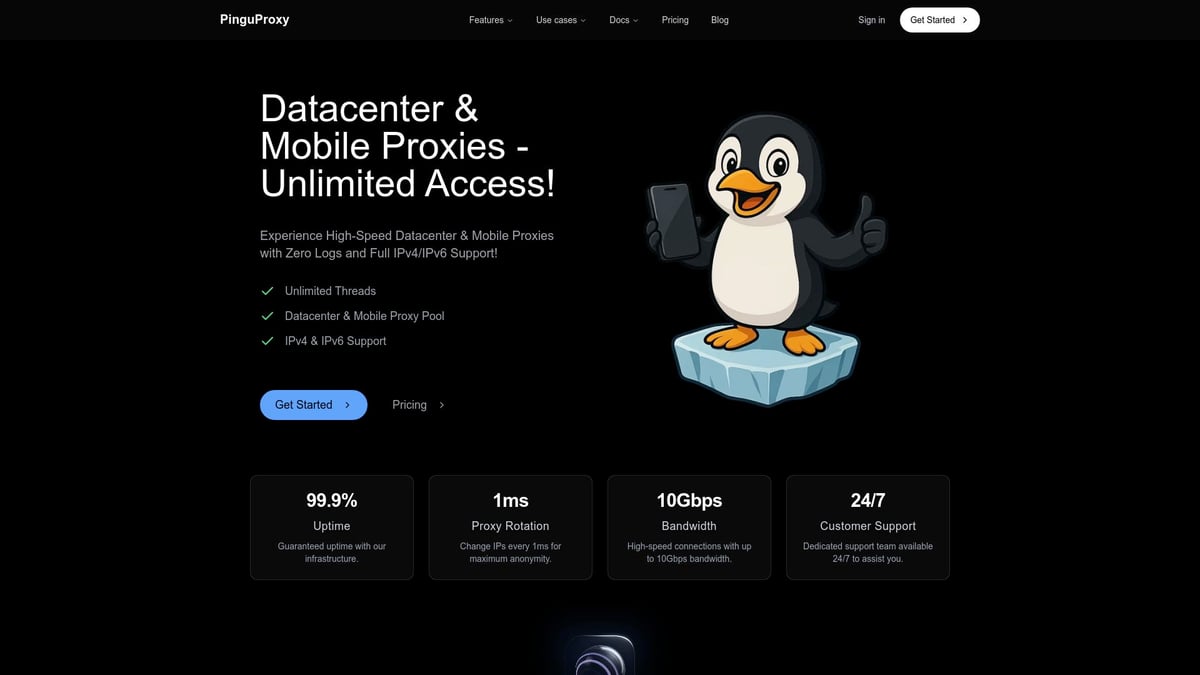
These features make PinguProxy ideal for bypassing restrictions, maintaining anonymity, and ensuring reliable global WhatsApp access. Their proxies support both IPv4 and IPv6, providing broad compatibility with any device.
Key benefits include:
- No bandwidth caps or ads
- Enhanced security and privacy
- 24/7 customer support
- Fast, stable connections for uninterrupted messaging
For users in high-risk or heavily censored regions, upgrading from a free proxy for whatsapp to a premium service can mean the difference between occasional access and consistent, secure messaging. Evaluate your needs to decide if a premium proxy fits your situation.
Step-by-Step Guide: Setting Up a Free Proxy for WhatsApp
Gaining secure and unrestricted access to WhatsApp is possible with the right setup, even if you are facing censorship or network blocks. This step-by-step guide will walk you through how to use a free proxy for whatsapp on Android, iPhone, and desktop devices.
You will learn how to prepare your device, choose a reliable proxy, and configure your connection for safe, private messaging. Let's get started and make sure your conversations stay open and protected.
Preparing Your Device & Proxy Information
Before you begin, ensure your device supports proxy configuration. Most modern smartphones and computers allow this, including iPhone (iOS 16+), Android (Android 13+), Windows, and Mac.
What you need:
- A working internet connection.
- A list of free proxy for whatsapp servers (HTTP or SOCKS5 recommended).
- Your device (phone, tablet, or computer).
- WhatsApp installed and updated to the latest version.
Device Compatibility Table:
| Device | OS Version | Proxy Support |
|---|---|---|
| Android Phone | Android 13+ | Yes (Wi-Fi, Mobile) |
| iPhone/iPad | iOS 16+ | Yes (Wi-Fi, Mobile) |
| Windows PC | Windows 10+ | Yes (System/Browser) |
| Mac | macOS 12+ | Yes (System/Browser) |
How to find a free proxy for whatsapp:
- Search for trusted free proxy lists online.
- Choose proxies with high uptime and low latency.
- Test the proxy using online tools or by pinging the server.
Safety checklist:
- Check proxy reputation in tech forums.
- Prefer proxies with HTTPS/SSL support.
- Never use proxies that request personal info.
Secure communication is vital, especially given the increase in scams and privacy threats. For context, projected WhatsApp scam statistics 2025 highlight rising risks, making secure proxy use even more important.
Setting Up a Proxy on Android for WhatsApp
You can configure a free proxy for whatsapp directly on your Android device. Here’s how:
- Open Settings and tap Network & Internet.
- Select Wi-Fi and tap your connected network.
- Tap Advanced or Modify network.
- Scroll to Proxy, then choose Manual.
- Enter your free proxy for whatsapp server address and port number.
Example:
Proxy hostname: 123.45.67.89
Proxy port: 8080
- Save the settings and reconnect to Wi-Fi.
To test:
- Open WhatsApp and try sending a message.
- If it fails, try another proxy or check your internet connection.
Troubleshooting:
- If WhatsApp does not connect, verify the proxy address.
- Switch to another free proxy for whatsapp if the current one is slow or blocked.
- Restart your device if changes do not take effect.
Always remember to monitor for connection drops or unusual behavior, as this can indicate proxy server issues.
Setting Up a Proxy on iPhone/iOS for WhatsApp
Setting up a free proxy for whatsapp on iPhone or iPad is simple if you follow these steps:
- Go to Settings and tap Wi-Fi.
- Find your connected Wi-Fi network and tap the i icon.
- Scroll to HTTP Proxy and select Manual.
- Enter the free proxy for whatsapp server address and port.
Example:
Server: 123.45.67.89
Port: 8080
- Save your changes and exit settings.
Testing your connection:
- Launch WhatsApp and send a test message.
- If you cannot connect, try another proxy or check your Wi-Fi.
Notes for iPad users:
- The steps are identical to iPhone.
- For cellular connections, proxy settings may need to be configured in carrier settings or via a VPN app.
If you experience repeated failures, double-check proxy details or seek new free proxy for whatsapp options from reputable lists.
Configuring Proxy on WhatsApp Web/Desktop
For desktop users, setting up a free proxy for whatsapp can be done via system network settings or browser extensions.
Windows:
- Go to Settings > Network & Internet > Proxy.
- Enable Manual proxy setup.
- Enter the proxy server address and port.
- Click Save.
Mac:
- Open System Preferences > Network.
- Select your active network and choose Advanced.
- Go to the Proxies tab and check Web Proxy (HTTP) or SOCKS Proxy.
- Enter the free proxy for whatsapp details.
Browser Extension Method:
- Use a trusted proxy extension in Chrome or Firefox.
- Enter the free proxy for whatsapp credentials.
- Refresh WhatsApp Web and test connectivity.
Limitations:
- Some proxies may not support persistent sessions.
- If WhatsApp Web disconnects often, try a different free proxy for whatsapp or consider a VPN for added stability.
By following these steps, you can maintain access to WhatsApp on any device, even in restrictive regions. Always prioritize security and privacy throughout the process.
Ensuring Security & Privacy While Using Free Proxies
Staying secure while using a free proxy for whatsapp is essential for protecting your data, identity, and conversations. Proxies can help you bypass restrictions, but they also introduce new privacy and security risks if not used carefully. Let's break down the best ways to keep your WhatsApp safe while staying connected worldwide.
Best Practices for Secure Proxy Use
When using a free proxy for whatsapp, always prioritize your security. Start by choosing HTTPS or SSL-enabled proxies. These proxies encrypt your connection, preventing third parties from reading your messages. Regularly update your proxy list, since outdated servers may be blocked or compromised.
Before connecting, test your proxy server for speed and reliability. Many free proxies limit bandwidth or have unstable uptime. Use community-recommended lists and check for user feedback. Never use a proxy that asks for personal information or login credentials.
It is also important to avoid sharing sensitive data when connected to a public or unknown proxy. Free proxies can be targets for hackers or malicious actors. Monitoring your connection for sudden drops or unexpected behavior helps you spot potential risks early.
Did you know that the structural dynamics of harmful content dissemination on WhatsApp have been studied in depth? This research highlights the importance of secure access methods and the need to protect your privacy as you communicate. For more insights, see the harmful content dissemination on WhatsApp analysis.
Here is a quick checklist for safe proxy use:
| Step | Action Item |
|---|---|
| Proxy Encryption | Always pick HTTPS/SSL proxies |
| Server Reliability | Test speed and uptime before connecting |
| Data Sensitivity | Avoid sharing passwords or sensitive info |
| Connection Monitoring | Watch for unexpected drops or slowdowns |
| Proxy List Updates | Refresh your list regularly |
Sticking to these steps will help you get the most out of your free proxy for whatsapp while keeping your data protected.
Protecting Your WhatsApp Account
Securing your WhatsApp account is crucial, especially when using a free proxy for whatsapp. Start by enabling two-factor authentication (2FA) within WhatsApp settings. This adds a layer of protection beyond your password.
Be vigilant about phishing attempts. If you receive strange links or requests while connected to a proxy, do not click or share personal details. Hackers may use compromised proxies to intercept your traffic or trick you into giving up sensitive info.
If you ever suspect your account is compromised, act quickly. Change your password, review your security settings, and disconnect from the suspicious proxy. Keeping your app updated also reduces vulnerabilities that could be exploited when using a free proxy for whatsapp.
Always remember, even the best free proxy for whatsapp cannot replace good security habits. Make it a routine to check your account activity and stay alert for anything unusual.
Additional Tools for Enhanced Privacy
Consider pairing a VPN with your free proxy for whatsapp for an extra layer of privacy. While proxies route specific app traffic, a VPN encrypts your entire device connection, making it even harder for outsiders to track you.
You can also use privacy-focused browsers or secure messaging apps alongside WhatsApp. Adjust your browser and app permissions to limit data sharing. Regularly clear cookies and cache to prevent tracking or data leaks.
Some users prefer open-source privacy tools that work well with a free proxy for whatsapp. These tools can include secure DNS services, encrypted chat add-ons, or privacy-focused operating systems.
Combining these strategies with careful proxy use ensures your conversations stay confidential and your identity remains protected, even in challenging environments.
Troubleshooting Common Issues with WhatsApp Proxies
Running into problems with your free proxy for whatsapp? You are not alone. Even the most reliable proxies can experience hiccups, especially as restrictions in 2025 become more sophisticated. Understanding how to identify and fix these issues is key to maintaining secure and uninterrupted messaging.
Common Problems When Using a Free Proxy for WhatsApp
When you use a free proxy for whatsapp, you may encounter these frequent issues:
- Connection drops or unstable messaging
- Slow upload or download speeds
- Proxy server bans or blacklisting
- “Unable to connect” errors on Android or iOS
- WhatsApp Web or Desktop not syncing properly
These problems can disrupt your conversations and hinder your access to critical information. Let us break down how to tackle them step by step.
Diagnosing Where the Problem Lies
To troubleshoot effectively, you need to pinpoint the source of the issue. Is it WhatsApp, the proxy, or your device? Try the following:
- Test your internet connection without the proxy
- Switch to a different proxy server and see if the problem persists
- Restart your device and clear the app cache
- Check if WhatsApp is down globally at status.whatsapp.com
A simple diagnostic table can help:
| Issue | Proxy Problem | Device Problem | WhatsApp Problem |
|---|---|---|---|
| Connection drops | Yes | Maybe | Maybe |
| App not loading | Maybe | Yes | Maybe |
| Proxy banned message | Yes | No | No |
How to Switch Proxies and Resolve Bans
If your current free proxy for whatsapp is banned or slow, switching to a new one is often the fastest fix. Here is how:
- Find a new, reputable free proxy from trusted community lists or forums
- Update your proxy settings in your device or WhatsApp app
- Test the new connection for speed and stability
- Avoid using the same proxy for too long to reduce the risk of future bans
If you get a persistent ban or repeated errors, consider rotating between multiple proxies or trying a VPN as a backup.
What to Do If WhatsApp Blocks Proxy Usage
Sometimes, WhatsApp may actively block certain proxies, especially those widely used or flagged for abuse. If this happens:
- Switch to a lesser-known or recently updated free proxy for whatsapp
- Look for community-curated proxy lists that are updated daily
- Check forums like Reddit or specialized tech groups for fresh proxy recommendations
Helpful resources include:
- Online proxy communities
- WhatsApp status pages
- Tech forums for proxy troubleshooting
Real-World Example and Advanced Solutions
Imagine you get an “Unable to connect” error while using a free proxy for whatsapp on Android. First, try switching to another proxy, clear your app cache, and restart your phone. If the issue persists, try using a VPN, or consider upgrading to a paid proxy for better reliability.
If all else fails, reach out to community forums for help, or escalate to advanced tools like premium proxy services or privacy-focused VPNs. Staying informed and proactive will ensure your WhatsApp access remains smooth and secure.
Expert Tips for Reliable and Safe WhatsApp Proxy Use in 2025
Navigating the world of proxies for WhatsApp in 2025 can feel overwhelming. With restrictions tightening and privacy concerns on the rise, knowing how to use a free proxy for whatsapp safely and reliably is more important than ever. This section covers essential strategies, practical advice, and real-world insights to help you stay connected securely.
Staying Updated on Proxy Lists and WhatsApp Restrictions
Staying ahead of restrictions is key to uninterrupted access. The landscape for using a free proxy for whatsapp changes quickly, so keeping updated is essential.
Start by bookmarking reputable proxy list websites. Resources like ProxyScrape and community-driven forums on Reddit or GitHub are great for finding current free proxy for whatsapp options. Tech blogs and Telegram channels dedicated to internet freedom often share tested proxy lists as soon as blocks are detected.
Monitor WhatsApp’s official blog and support pages for updates on policy changes. Many regions announce new restrictions or blocks through tech news outlets, so subscribing to newsletters from sites like TechCrunch or Wired can keep you informed.
Leverage community forums to share your experiences and learn from others. If a free proxy for whatsapp stops working, chances are someone else has already found a replacement and posted about it. Staying active in these groups helps you troubleshoot quickly.
- Bookmark reputable proxy list sites
- Join online communities for real-time proxy updates
- Subscribe to tech news for policy changes
Staying connected means staying informed. Make it a habit to check for updates regularly, so you’re never caught off guard by sudden restrictions.
Balancing Free vs. Paid Proxy Options
Choosing between a free proxy for whatsapp and a paid solution depends on your needs. Both have advantages, but understanding the trade-offs ensures you make the best choice for your situation.
Free proxies are ideal for occasional use or when you need quick, temporary access. They’re widely available and easy to set up. However, limitations such as bandwidth caps, slower speeds, and server overcrowding are common. Security is another concern - some free proxy for whatsapp options may log your activity or inject ads.
Paid proxies, on the other hand, offer faster speeds, dedicated support, and enhanced security features. If you rely on WhatsApp for business or live in a high-risk country, the extra investment often means more reliable and private access.
Here’s a quick comparison:
| Feature | Free Proxy for WhatsApp | Paid Proxy |
|---|---|---|
| Speed | Moderate to slow | Fast and consistent |
| Security | Varies, sometimes risky | Strong, encrypted |
| Uptime | Unpredictable | High uptime |
| Support | Community-based | Professional |
| Cost | Free | Subscription/Pay-as-you-go |
Evaluate your risk level and decide how much privacy and reliability you need. For most users, starting with a free proxy for whatsapp is fine, but be ready to upgrade if you require stable, secure access.
Maintaining Long-Term Access and Security
Long-term success with a free proxy for whatsapp requires proactive strategies. Proxy servers can get blocked or throttled, so it’s vital to rotate your proxies regularly. This prevents your access from being interrupted and reduces the risk of blacklisting.
Schedule periodic security audits. Review which proxies you’re using, check for any signs of compromise, and update your proxy list to avoid outdated or banned servers. Use tools like proxy checkers to verify speed and anonymity.
Stay vigilant against new threats. The world of free proxy for whatsapp is always evolving, with new vulnerabilities emerging. Educate yourself through security blogs and online courses about proxy technologies and best practices.
- Rotate proxy servers frequently
- Audit your proxy setup every month
- Learn about new proxy and security trends
Consider combining your free proxy for whatsapp with other privacy tools, such as VPNs or privacy-focused browsers, for layered protection.
Real-World Examples & Use Cases
The real impact of a free proxy for whatsapp is best seen in user stories. In 2025, many people in regions like Iran, UAE, and parts of Asia have regained access to WhatsApp by using publicly shared proxies. Online communities often share step-by-step guides and success stories, making it easier for newcomers to get started.
One tech blogger in Egypt documented how switching between multiple free proxies kept his WhatsApp account active during a major network blackout. Meanwhile, a student group in India relied on proxy lists shared through encrypted Telegram channels to maintain contact during exam season when restrictions increased.
Lessons learned from these examples highlight the importance of being adaptable. If one proxy fails, switching quickly is essential. Community feedback and open-source guides are invaluable for troubleshooting. These stories prove that with the right approach, a free proxy for whatsapp can provide reliable, safe access even in the toughest conditions.Now that you know how to unlock WhatsApp with a free proxy and keep your conversations private no matter where you are, why not take the next step toward even more secure and reliable access? With PinguProxy’s zero log policy, blazing fast speeds, and global support for both IPv4 and IPv6, you’re set up for seamless messaging and peace of mind - even when restrictions get tough. If you’re ready to put these expert tips into action and enjoy worry free connectivity, Get Started Now and experience the difference for yourself.