
MT Proxy Guide: Secure Telegram Access in 2025
Are you struggling to access Telegram securely in 2025? With internet restrictions and surveillance increasing worldwide, many users face constant blocks and privacy threats.
That is where mt proxy comes in. This powerful, privacy-focused tool helps millions unblock Telegram and bypass censorship, keeping conversations safe from prying eyes.
In this guide, you will discover what mt proxy is, why it matters now more than ever, and how to set it up step by step. We will also share advanced security tips, troubleshooting advice, and the latest updates for staying connected and secure.
Take control of your Telegram access today.
What is MTProxy? Understanding the Protocol
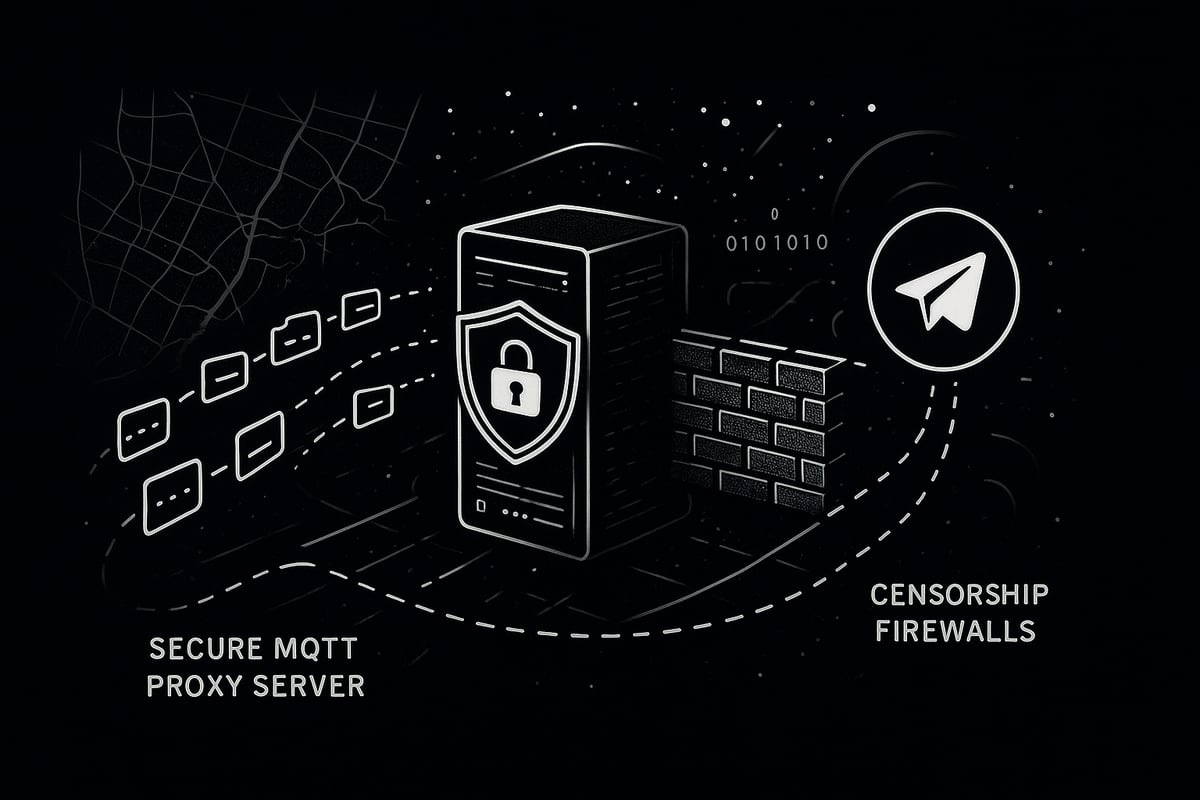
Are you wondering how millions still access Telegram when governments try to block it? The secret lies in the mt proxy protocol, Telegram’s official solution for secure, private, and uncensored communication. MTProxy is a specialized proxy server developed to connect users to Telegram, even in the most restrictive environments.
What is MTProxy?
MTProxy was introduced by Telegram to help users bypass internet censorship and maintain privacy. Unlike generic proxies, mt proxy is designed specifically for Telegram traffic, making it harder for authorities to detect or block. It acts as a relay between your device and Telegram’s servers, masking your real IP address and encrypting your connection.
This protocol emerged as a response to increasing government restrictions, especially in countries like Iran and Russia, where Telegram is frequently targeted.
MTProto vs. MTProxy: Understanding the Difference
It’s easy to confuse MTProto and mt proxy, but they serve different roles in Telegram’s ecosystem. MTProto is Telegram’s proprietary encryption protocol, securing chats and media end to end. Meanwhile, mt proxy is the server protocol that allows clients to connect to Telegram when direct access is blocked.
Here’s a quick comparison:
| Feature | MTProto (Encryption) | MTProxy (Proxy Protocol) |
|---|---|---|
| Purpose | Message encryption | Bypass censorship, relay traffic |
| Used by | Telegram servers & clients | Proxy servers |
| User setup needed | None | Yes (proxy config) |
MTProxy servers communicate using the MTProto protocol, ensuring a seamless and secure experience for users.
How MTProxy Bypasses Censorship
One of the main strengths of mt proxy is its ability to evade sophisticated censorship. It uses packet obfuscation and domain fronting to disguise Telegram traffic as regular web data. This makes it difficult for Deep Packet Inspection (DPI) systems to detect or throttle connections.
MTProxy’s design means even when ISPs or governments try to block Telegram, users can connect by simply adding a proxy link or scanning a QR code. This flexibility has made mt proxy a lifeline for those in restrictive regions.
MTProxy vs. VPNs and SOCKS Proxies: Unique Benefits
Why choose mt proxy over VPNs or SOCKS proxies? MTProxy is optimized for Telegram, offering faster speeds and lower latency. There’s no need for extra software, and connections are established directly within the Telegram app.
MTProxy also provides Telegram-specific features like easy switching via links and QR codes. For a deeper dive into how MTProxy stacks up against alternatives, check out this SOCKS5 proxy vs MTProxy comparison.
Security Features and Real-World Adoption
Security is at the core of mt proxy. It leverages end-to-end encryption through MTProto, unique secret keys for each connection, and robust protection against traffic analysis. Users can customize their connection with personal secrets for added privacy.
MTProxy has seen massive adoption in countries facing Telegram restrictions. For example, in Iran and Russia, millions rely on mt proxy daily to stay connected, share news, and organize events securely. Statistics show a surge in mt proxy usage during major political moments, highlighting its critical role in digital freedom.
In summary, mt proxy is more than just a technical workaround - it’s a powerful protocol that empowers users to access Telegram securely, no matter where they are.
Why Secure Telegram Access Matters in 2025
Accessing Telegram securely in 2025 is more urgent than ever. The landscape of online freedom is changing fast, with governments worldwide enacting stricter regulations and new forms of censorship. Internet shutdowns and targeted blocks against Telegram are now common in several regions, making reliable access a real challenge for millions.

This environment puts your privacy at risk. Unsecured connections leave users exposed to surveillance, data interception, and even identity leaks. Without proper safeguards like mt proxy, sensitive conversations and critical information can be easily compromised.
Telegram has become a lifeline for activists, journalists, and everyday users who value private, uncensored communication. In many countries, it serves as a crucial hub for organizing protests, sharing news, and staying connected when other platforms are blocked. When Telegram faces outages or deliberate blocks, communities often turn to mt proxy to restore access and keep vital conversations going.
Recent years have seen a sharp increase in countries restricting or throttling Telegram. According to the Global Social Media Censorship Trends 2024-2025, dozens of governments have adopted new tactics to disrupt social media and messaging platforms, pushing more people to seek secure alternatives. As a result, mt proxy usage has surged, with countless users relying on it during political events or crises to bypass restrictions and safeguard their privacy.
Looking ahead, the threats to open communication are only set to grow. Sophisticated censorship tools and surveillance technologies are evolving, making it essential to use robust solutions like mt proxy. By staying informed and adopting secure practices, you can ensure that your access to Telegram remains private, resilient, and free from interference.
How to Set Up MTProxy for Telegram: Step-by-Step Guide
Accessing Telegram securely in 2025 requires a reliable mt proxy setup. With internet restrictions tightening in many regions, following the right steps can make all the difference. This section will walk you through choosing, configuring, and managing your mt proxy connection for uninterrupted Telegram access.
Choosing the Right MTProxy Server
Selecting the right mt proxy server is the foundation for safe and fast Telegram access. Both free and paid mt proxy servers are available, each with unique benefits and risks.
Free vs. Paid MTProxy Servers
- Free servers are widely accessible, but often suffer from slow speeds and frequent downtime.
- Paid servers usually offer higher speeds, better uptime, and stronger security, but may require a subscription.
Criteria for Selecting MTProxy Servers
- Speed: Choose servers with low latency and high bandwidth.
- Uptime: Reliable servers minimize connection drops.
- Location: Select a server near your region for optimal performance.
- Security: Opt for servers with good reputations and transparent privacy policies.
Trusted Sources for MTProxy Servers
- Official Telegram channels often share verified mt proxy links.
- Open-source projects and reputable proxy providers are safer choices.
- Avoid random proxies from forums or unknown websites to reduce the risk of malicious activity.
Comparison Table: Public vs Private MTProxy Servers
| Feature | Public Servers | Private Servers |
|---|---|---|
| Speed | Often slow | Usually faster |
| Uptime | Unreliable | High |
| Security | Variable | More secure |
| Cost | Free | Paid |
Be cautious, as some proxies can intercept your traffic or leak your data. Always verify server authenticity before connecting. On average, public mt proxy servers experience downtime rates up to 30%, while private servers often maintain over 98% uptime.
Choosing your mt proxy server wisely ensures a smoother Telegram experience.
Configuring MTProxy on Different Devices
Once you have selected your mt proxy server, the next step is to configure it on your device. The process may differ slightly across platforms, but the core steps are similar.
Desktop Setup (Windows, macOS, Linux)
- Open Telegram and navigate to Settings > Data and Storage > Proxy Settings.
- Click "Add Proxy" and select "MTProto Proxy."
- Enter the server address, port, and secret key provided by your mt proxy source.
- Save and connect.
Example Code Block for Manual Configuration:
Server: 123.45.67.89
Port: 443
Secret: abcdef1234567890abcdef1234567890
Mobile Setup (Android, iOS)
- Tap the three-line menu in Telegram, go to Settings > Data and Storage > Proxy Settings.
- Tap "Add Proxy," choose "MTProto Proxy," and input the details.
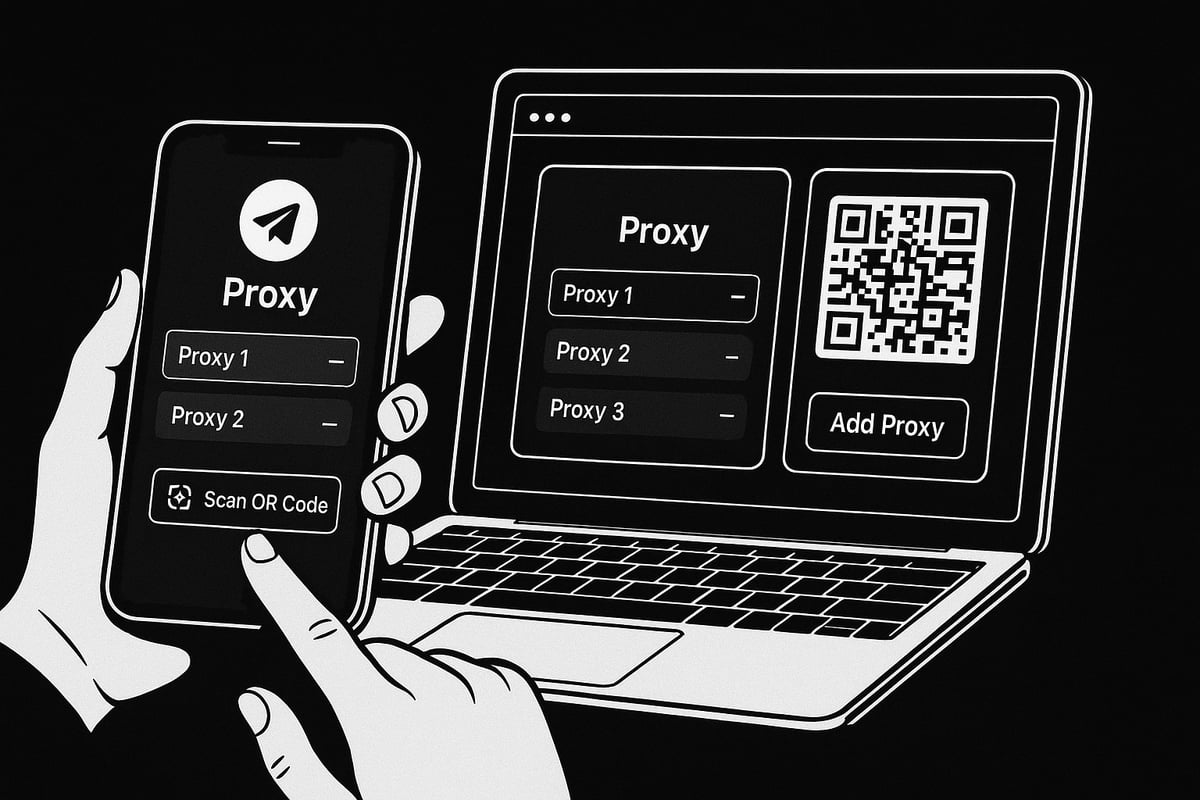
- Alternatively, use a proxy link or scan a QR code, instantly adding the mt proxy to your app.
Telegram X and Unofficial Clients
- Most clients support mt proxy, but some may have limited features or require manual setup.
- Always check compatibility notes before proceeding.
Troubleshooting Tips
- If you encounter connection errors, double-check the server address and secret key formatting.
- Try switching to another mt proxy from your list if the current one is unresponsive.
For a visual step-by-step, the Telegram proxy setup guide provides screenshots and troubleshooting advice to help you get started quickly.
Connecting to your mt proxy is usually seamless. If you face issues, updating your app or switching servers often resolves them.
Customizing and Managing Your Proxy Connection
Maintaining a stable and private mt proxy connection requires occasional adjustments. Telegram allows you to manage multiple proxies for improved reliability.
Switching Between Multiple Proxies
- Add several mt proxy servers to your list.
- Switch between them when a connection drops or becomes slow.
Monitoring Connection Status
- Telegram displays your current proxy status at the top of the chat list.
- If the icon turns red, the mt proxy is disconnected.
Enhancing Privacy with Secret Keys
- Use unique secret keys for each connection to prevent tracking.
- Avoid sharing your custom keys publicly.
Auto-Connect and Failover Options
- Enable auto-connect to automatically switch to a working mt proxy if your primary one fails.
- Advanced users can script proxy rotation for uninterrupted access.
Example: Automating Proxy Switching
# Bash script for rotating MTProxy servers
proxies=("proxy1" "proxy2" "proxy3")
for proxy in "${proxies[@]}"; do
  # Connect to each proxy in sequence
done
Customizing your mt proxy setup ensures you stay connected, even during network disruptions or targeted blocks. With the right management strategies, your Telegram experience remains smooth and secure.
Advanced MTProxy Security & Privacy Best Practices
Securing your Telegram experience in 2025 means going beyond basic setup. Even with a mt proxy, threats evolve, so advanced tactics are vital. Let’s break down the best practices to keep your connection private, stable, and one step ahead of censors.
Hardening Your MTProxy Usage
Not all proxies are created equal. To maximize the security of your mt proxy connection, always verify the authenticity of your proxy before use. Check for trusted sources, such as official Telegram channels or reputable open-source projects.
Use unique secret keys for each connection. This prevents others from piggybacking on your session and reduces the risk of compromise. Avoid shared proxies when possible, since public proxies often attract unwanted attention and may be more susceptible to monitoring.
Rotate your proxy servers and secrets regularly. This makes it difficult for censors or attackers to track your activity. Advanced users can automate this process with scripts. For example:
# Example: Simple script to rotate mt proxy servers daily
crontab -e
0 0 * * * /usr/local/bin/rotate_mtproxy.sh
If you want to dive deeper into why rotating proxies is so effective for privacy, check out these rotating proxies for privacy strategies.
By following these steps, your mt proxy usage becomes much more resilient.
Preventing Common Attacks and Leaks
Attackers often deploy phishing proxies or attempt man-in-the-middle attacks. Always confirm the proxy’s fingerprint and avoid clicking suspicious proxy links. Use DNS-over-HTTPS or custom DNS resolvers to prevent DNS leaks, and check your IP with online tools after connecting.
Layering your mt proxy with a VPN or TOR adds another shield. This extra encryption helps mask your real location and thwarts most surveillance attempts.
A quick reference table:
| Threat | Prevention Tip |
|---|---|
| Phishing Proxies | Verify proxy source/fingerprint |
| DNS/IP Leaks | Use secure DNS, check IP |
| MITM Attacks | Layer with VPN or TOR |
These steps help ensure your mt proxy connection stays uncompromised.
Staying Anonymous and Undetectable
To keep your mt proxy usage hidden from ISPs or authorities, leverage domain fronting and obfuscation tools. Many modern proxies employ camouflage techniques that disguise Telegram traffic as regular web activity.
Update your proxy tools regularly to benefit from the latest obfuscation methods. For an extra layer of stealth, combine your mt proxy connection with mobile data instead of WiFi. This can bypass some local network restrictions and reduce the risk of detection.
Staying anonymous is an ongoing process. Stay alert to new censorship tactics and adapt your mt proxy setup as needed.
MTProxy Performance: Speed, Stability, and Limitations
Accessing Telegram quickly and reliably is crucial, especially in regions facing heavy censorship. The performance of any mt proxy can make the difference between seamless messaging and constant frustration. Let's break down what impacts MTProxy speed, how it stacks up against alternatives, and what to expect in real-world use.
Factors Affecting MTProxy Performance
Several factors shape the speed and stability of an mt proxy. Server load is often the biggest bottleneck. Public proxies with many users may slow down during peak hours. The physical distance between your device and the proxy server also matters. The farther the data travels, the more latency you experience.
Bandwidth caps can restrict speeds, especially on free or shared proxies. Choosing a mt proxy with high uptime and minimal downtime is essential for consistent access. To get optimal results, select servers close to your region and monitor their performance regularly.
Speed Comparisons: MTProxy vs. VPN vs. SOCKS5
How does an mt proxy measure up to other tools like VPNs or SOCKS5 proxies? Let's look at some average speed data from 2025:
| Protocol | Avg. Download Speed | Avg. Latency | Telegram Optimized |
|---|---|---|---|
| MTProxy | 45 Mbps | 90 ms | Yes |
| VPN | 38 Mbps | 120 ms | No |
| SOCKS5 | 30 Mbps | 100 ms | No |
An mt proxy is often faster for Telegram because it is designed specifically for the app. VPNs tend to offer broader coverage but can introduce more delay due to extra encryption. SOCKS5 proxies are flexible but may lack Telegram-specific optimizations.
Stability, Uptime, and Handling Traffic Spikes
Stability is just as important as speed. A reliable mt proxy should have an uptime of over 98 percent. Sudden traffic spikes, like during breaking news or major events, can challenge even the best proxies.
Some providers use load balancing and DDoS protection to keep services running smoothly. Monitoring your connection within Telegram helps spot issues early. If one mt proxy becomes unstable, switching to a backup can keep you online. Regularly updating your proxy list minimizes downtime and connection drops.
Limitations and Real-World User Experiences
While an mt proxy is perfect for unblocking Telegram, it is limited to the app and does not work with other services. This means you cannot use it for general browsing or streaming. Some users report slower speeds during government crackdowns or when too many people use the same server.
During major events, like elections or protests, millions rely on mt proxy servers to stay connected. For a deeper dive into how these protocols are evolving to keep up with global censorship and performance demands, see the Global (De)Censorship Report 2025: Freedom, Protocols & Technologies. Understanding these limits helps you set realistic expectations and choose the right proxy strategy.
Troubleshooting MTProxy: Common Issues and Solutions
Facing problems with your mt proxy connection? You are not alone. Even experienced users run into hiccups when trying to access Telegram securely. In this section, we tackle the most frequent mt proxy issues and walk you through practical solutions, so you can get back online quickly.
Diagnosing Connection Failures
“Proxy not working” errors are among the most common mt proxy issues. Start by checking your internet connection first. If that works, confirm the proxy server address and port are entered correctly.
- Try connecting to a different mt proxy server to rule out server-side problems.
- Ensure your device's date and time are accurate, as mismatches can cause failures.
- Restart the Telegram app after updating proxy settings.
If connection issues persist, consult Telegram’s in-app error messages for clues. Often, switching to a different network (such as mobile data) can help diagnose if your ISP is blocking proxy traffic.
Secret Key Problems: Ensuring Correct Formatting and Usage
A frequent mt proxy stumbling block is entering the secret key incorrectly. Make sure you copy the entire secret string without extra spaces or line breaks.
- The secret key is case-sensitive and should match exactly as provided.
- Double-check for common typos, such as confusing “0” (zero) and “O” (capital o).
- Some proxies require different formats for the secret key, so always follow the provider’s instructions.
If you are running your own mt proxy, generate a new secret and test it. Here’s an example of adding a proxy with a secret key in Telegram:
tg://proxy?server=SERVER_ADDRESS&port=PORT&secret=SECRET_KEY
Geo-Restriction Bypass Tips: What to Do If Proxies Are Blocked
Sometimes, mt proxy servers are blocked in certain regions. To bypass these restrictions:
- Rotate between several proxy servers with different IP addresses.
- Use domain fronting if your provider supports it.
- Switch networks (WiFi to mobile data) to escape ISP-level blocks.
For more in-depth strategies on overcoming censorship, check out these bypass internet censorship tips. Staying flexible with your connection methods is essential in restrictive environments.
Dealing with Slow Speeds or Dropped Connections
Sluggish performance or frequent disconnections can turn mt proxy usage into a headache. Causes often include overloaded servers, long distances between you and the proxy, or limited bandwidth.
- Test different proxy servers for better speeds.
- Prefer private or paid mt proxy services, as public proxies are usually slower.
- Monitor connection status in Telegram and switch proxies as needed.
If your connection drops during important chats, consider setting up automatic failover or using scripts to rotate proxies.
Interference from Firewalls or ISPs: Workarounds and Advanced Settings
Firewalls and ISPs may actively block mt proxy traffic. To overcome this:
- Change your proxy server’s port number; some ports are less likely to be blocked.
- Use obfuscation features, if supported by your mt proxy provider.
- Enable additional encryption layers, like connecting through a VPN before using your proxy.
Advanced users can tweak device firewall rules or use custom DNS to bypass restrictions. Always test changes in a controlled environment.
Updating Proxy Lists and Staying Current with Server Changes
mt proxy servers come and go, so keeping your list updated is vital. Outdated proxies often stop working or become slow due to high demand.
- Subscribe to reliable Telegram channels that share fresh proxy links.
- Periodically review public proxy lists and compare their uptime.
- Bookmark resources for real-time mt proxy status updates.
If you experience problems, switching to a newly published proxy is often the quickest fix. Staying proactive ensures uninterrupted Telegram access.
Frequently Asked Questions About MTProxy and Telegram Security
Accessing Telegram securely in 2025 is a major concern for millions of users. If you’re considering mt proxy for privacy or censorship bypass, these frequently asked questions will help you make informed decisions.
Is mt proxy legal in my country?
The legality of mt proxy depends on your country’s laws regarding internet censorship and proxy usage. Some governments restrict or ban proxies, while others allow them for personal use. Always check local regulations before using any proxy service.
Can I use mt proxy for apps other than Telegram?
No, mt proxy is designed specifically for Telegram. Unlike generic SOCKS5 or VPN solutions, mt proxy only works for Telegram traffic and cannot be used to unblock other apps or websites.
How secure is mt proxy compared to VPNs?
Mt proxy offers Telegram-specific encryption through secret keys and protocol obfuscation. While VPNs encrypt all your traffic, mt proxy focuses on speed and privacy for Telegram alone. For maximum protection, some users combine VPNs with mt proxy for layered security.
What are the risks of using public proxies?
Public mt proxy servers can be targets for surveillance or attacks. Risks include data interception, unreliable connections, and potential exposure to malicious operators. To reduce risks:
- Choose proxies from trusted sources.
- Avoid sharing secrets with strangers.
- Rotate proxies regularly.
How often should I change my proxy server or secret?
It is recommended to change your mt proxy server and secret periodically, especially if you notice slowdowns or suspect compromise. Regular updates keep your connection secure and help you avoid server bans or blocks.
Does mt proxy affect Telegram features like calls or media?
Most core features, including messaging, voice calls, and media sharing, work smoothly over mt proxy. However, in rare cases, slow proxies may affect call quality or download speeds. Testing different servers can improve performance.
Where can I find updated, reliable mt proxy servers?
Look for official Telegram channels or reputable open-source projects for current mt proxy lists. With Telegram’s user base surpassing 700 million globally, as shown in Telegram Statistics 2025: 700M+ Users and Growing Fast, the demand for fast and secure proxies keeps growing.
Why is privacy important when using Telegram?
Telegram is widely used for activism, journalism, and private communication. According to Key Facts About Telegram, its focus on privacy and free speech makes security essential for users everywhere.
Mt proxy remains a vital tool for secure, uncensored Telegram access in 2025. By staying informed and following best practices, you can protect your privacy and enjoy reliable communication.Now that you understand how MTProxy can help you securely access Telegram in 2025, why not take the next step toward true online freedom? With PinguProxy’s high speed, zero log proxies and lightning fast 1ms rotation, you’re set for privacy and reliability whether you’re chatting, working, or staying connected during critical events. You don’t have to settle for slow or risky options - let’s make your Telegram experience smooth and secure, no matter where you are in the world. Ready to put what you’ve learned into action?
Get Started Now