
Proxy Twitter Guide 2025: A Step-by-Step Tutorial for Beginners
Are you finding it tough to view Twitter content or juggle multiple accounts safely in 2025? You are definitely not alone. With frequent restrictions and privacy concerns, many users are searching for reliable solutions.
This guide unlocks the basics of proxy twitter for beginners seeking privacy, security, and open access. You will learn what Twitter proxies are, why they matter today, and how to set them up step by step.
Get ready to explore best practices, avoid common pitfalls, and gain confidence managing Twitter with greater freedom.
Understanding Twitter Proxies: What, Why, and How They Work
Want to understand how a proxy twitter setup can unlock more freedom and privacy on the platform? Let’s break down what Twitter proxies are, why they matter in 2025, how they work behind the scenes, and the legal and ethical factors you need to know.
What is a Twitter Proxy?
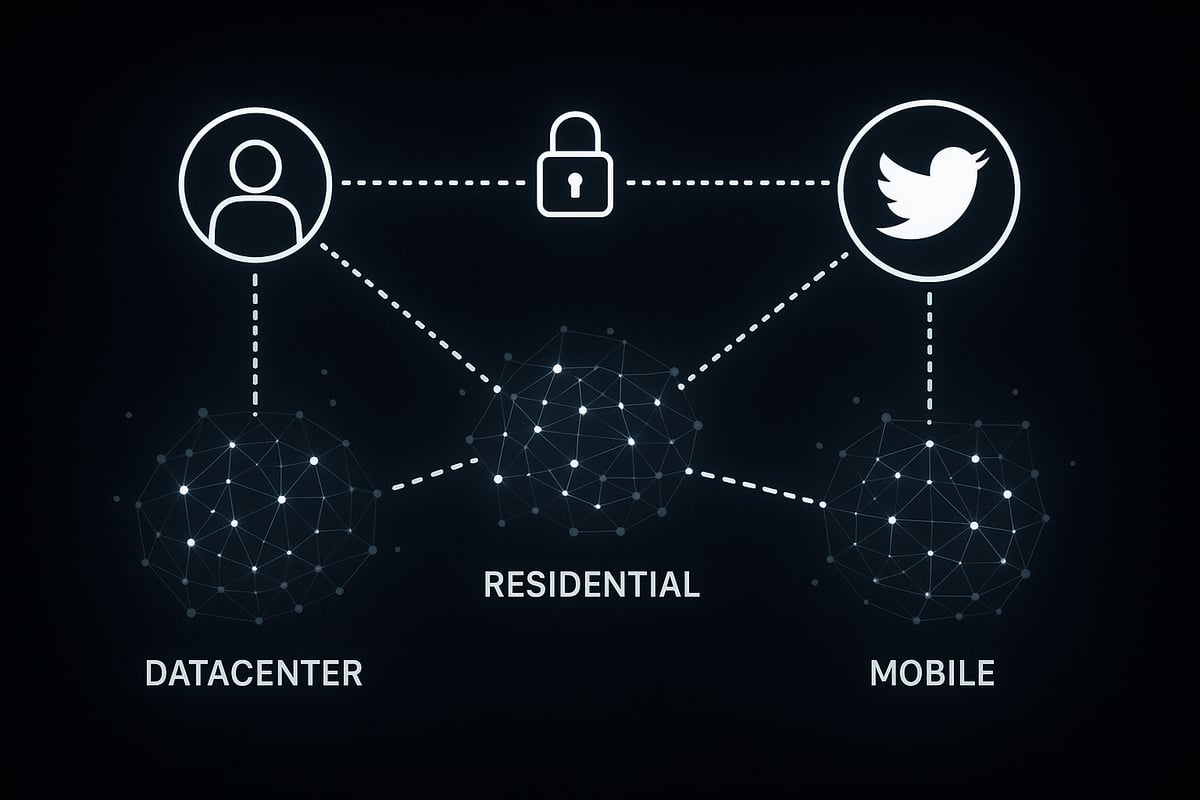
A proxy twitter connection acts as a middleman between you and Twitter, hiding your real IP address and routing your requests through another server. This lets you appear as if you’re browsing from a different location or device.
There are three main types of proxies used for Twitter:
| Proxy Type | Description | Best Use Case |
|---|---|---|
| Datacenter | Fast, non-ISP IPs | Speed, bulk actions |
| Residential | Real home IPs | Authenticity, stealth |
| Mobile | 3G/4G/5G device IPs | Hardest bans, campaigns |
Each type offers unique advantages. For example, marketers often use proxy twitter solutions to manage multiple accounts without triggering blocks. In fact, over 30% of social media marketers rely on proxies for account management. For a deeper dive into these options, see this Types of proxies explained guide.
Why Use Proxies for Twitter in 2025?
Twitter’s rules are always evolving, especially around automation and geo-restricted content. In 2025, more regions are seeing content blocks and stricter policies on bots and mass account management.
Using a proxy twitter setup helps you avoid IP bans and rate limits, while also boosting your privacy and anonymity. For example, if you travel to a country with government censorship, a proxy lets you access Twitter as if you’re somewhere else.
As more digital marketers adopt proxy twitter solutions to bypass restrictions, the demand for reliable proxies keeps growing. This trend ensures safer, broader access for both individuals and businesses.
How Twitter Proxies Work Technically
When using a proxy twitter configuration, your device connects to a proxy server, which then forwards your requests to Twitter. This masks your original IP address and location.
A key feature is IP rotation, which assigns you a new IP at set intervals or per request. This makes your activity look more natural and reduces the risk of bans. Secure proxies use HTTPS and encryption to keep your data safe from interception.
Imagine two scenarios:
- Without a proxy: Your device → Twitter (real IP exposed)
- With a proxy: Your device → Proxy server → Twitter (proxy IP shown)
However, poorly configured proxies can leak data or trigger security alerts, so setup matters.
Legal and Ethical Considerations
Before you use a proxy twitter service, review Twitter’s terms of service and check local laws. Some regions have strict rules about proxy use, and violating Twitter’s policies can result in account suspension or bans.
Ethical proxy use means avoiding spam, abuse, or illegal activity. For example, using proxies to mass-follow or harass users is both unethical and likely to get you banned.
Responsible proxy twitter usage protects your privacy and the integrity of the platform. Always aim to comply with both legal requirements and community standards.
Choosing the Right Proxy for Twitter in 2025
Selecting the right proxy twitter solution can make or break your Twitter experience in 2025. Whether you are running a single account or managing dozens, the type of proxy you choose directly affects your privacy, speed, and success rate. Let’s break down the essentials for picking the best fit.
Types of Proxies: Datacenter, Residential, and Mobile
When choosing a proxy twitter setup, understanding the differences between datacenter, residential, and mobile proxies is crucial. Each serves a unique purpose:
| Proxy Type | Strengths | Use Cases |
|---|---|---|
| Datacenter | Fast, affordable | Bulk automation, scraping |
| Residential | Authentic, stable | Account creation, geo-testing |
| Mobile | Hardest to ban | Influencer campaigns, heavy-duty management |
For example, if you want to run an influencer campaign where authenticity is key, mobile proxies shine. Residential proxies excel when you need real, home-like IP addresses for tasks like geo-targeted research. Datacenter proxies are perfect for speed and high-volume tasks but may be more detectable by Twitter.
Key Features to Look For
A smart proxy twitter choice comes down to essential features. Here’s what to prioritize:
- Speed and reliability: High uptime and fast response times are a must.
- IP pool size and rotation: A larger, frequently rotating pool reduces detection risk.
- IPv4 and IPv6 support: Future-proofs your setup.
- Security: Zero-log policies and encryption safeguard your data.
In fact, 10Gbps bandwidth is quickly becoming the norm among top providers. For a deeper dive into how rotating proxies help manage multiple accounts and avoid bans, check out this Best rotating proxies guide.
Evaluating Providers: What Matters Most
Not all proxy twitter providers are created equal. Reputation and transparency should be your first checkpoints. Reliable customer support and technical assistance can save hours of troubleshooting.
Pricing models also matter. Some providers offer pay-as-you-go, while others prefer subscriptions. Compare top-rated providers by looking at their service guarantees, support channels, and user reviews. This step ensures you avoid hidden fees and unreliable connections.
PinguProxy: High-Speed, Secure Twitter Proxy Solutions
PinguProxy stands out for anyone seeking a robust proxy twitter solution. Their datacenter and mobile proxies offer unlimited access, a zero-log policy, and 1ms IP rotation for maximum security.
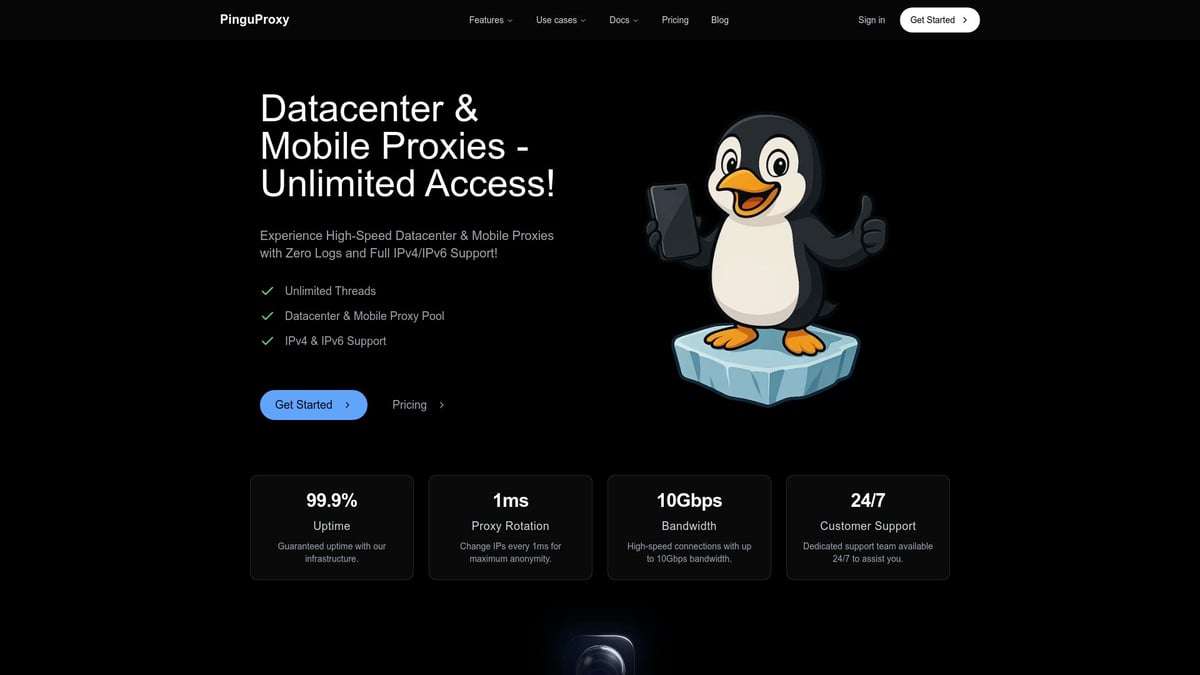
With 10Gbps bandwidth, you can manage multiple Twitter accounts or bypass geo-restrictions with ease. The global reach and 24/7 support make PinguProxy a go-to choice for marketers and privacy-focused users in 2025.
Risks of Free or Low-Quality Proxies
Opting for a free proxy twitter service might seem tempting, but it comes with serious risks. Data leaks, malware, and unreliable connections are common pitfalls.
Accounts often get banned due to shared or blacklisted IPs. Investing in reputable proxies is the safest route. Quality providers protect your privacy and ensure you maintain uninterrupted access to Twitter.
Step-by-Step Guide: Setting Up a Proxy for Twitter
Setting up a proxy twitter connection may seem daunting, but following a clear, step-by-step process can make it accessible for anyone. Whether you want more privacy, manage multiple accounts, or bypass regional blocks, this guide will walk you through each stage. Let’s break down the process into manageable steps so you can start using proxy twitter effectively and safely.
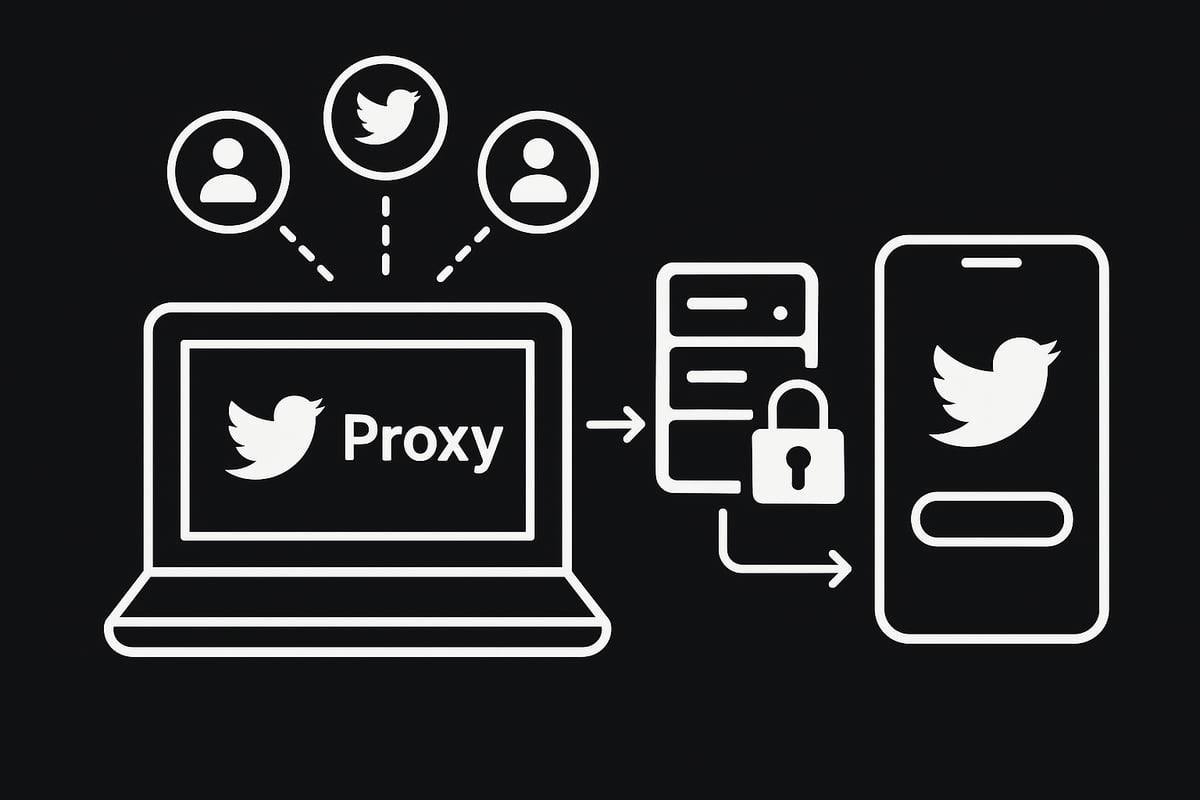
Step 1: Define Your Twitter Goals
Before you jump into proxy twitter setup, clarify your main objectives. Are you seeking personal privacy, running marketing campaigns, automating tweets, or conducting research? Each use case may require a different approach.
Jot down the number of Twitter accounts you need to manage and the devices you’ll use. For example, a social media manager handling ten accounts will have different needs compared to a private user.
Understanding your goals helps you choose the right proxy twitter solution, ensuring you get the best results and avoid unnecessary complications.
Step 2: Select the Best Proxy Type and Provider
With your goals set, it’s time to match them to the right proxy twitter type. Datacenter proxies are fast and affordable, residential proxies offer real-user authenticity, and mobile proxies are the most resilient against bans.
Evaluate providers based on speed, reliability, support, and security. For instance, if you plan to create several new accounts, mobile proxies are often the best option for proxy twitter users.
Compare features like IP rotation, bandwidth, and customer reviews to make an informed decision before purchasing.
Step 3: Purchase and Configure Your Proxy
After choosing your provider, register for an account and select a suitable proxy twitter package. Most providers offer user-friendly dashboards where you can manage your proxies, view usage statistics, and access credentials.
Follow the provider’s instructions to purchase and retrieve your proxy IPs, ports, usernames, and passwords. For a detailed walkthrough, check out this Complete beginner's proxy guide to ensure every step is covered.
Having all your proxy twitter details organized will make the next steps much smoother.
Step 4: Configure Proxy Settings on Your Device or Browser
Now, set up your proxy twitter connection on your preferred device or browser. Here’s a quick overview for various platforms:
- Windows: Go to Settings > Network & Internet > Proxy, toggle on “Manual proxy setup,” and enter your proxy twitter details.
- MacOS: Open System Preferences > Network, select your connection, click Advanced > Proxies, and input your info.
- iOS/Android: In Wi-Fi settings, set up manual proxy configuration with your credentials.
- Browsers (e.g., Chrome): Use extensions like “Proxy SwitchyOmega” or configure through browser network settings.
Always double-check your entries to avoid connection issues with proxy twitter.
Step 5: Integrate Proxy with Twitter Tools or Bots
Many marketers and researchers use tools like TweetDeck, Jarvee, or custom bots to automate tasks. Most allow you to input proxy twitter settings directly in their configuration menus.
For example, in TweetDeck, you can add multiple accounts and assign a unique proxy to each. This ensures each account appears to come from a different IP, reducing the risk of bans.
Always check tool documentation for proxy twitter compatibility and setup instructions.
Step 6: Test Your Proxy Connection
Once everything is configured, it’s crucial to test your proxy twitter connection. Use online IP checkers to confirm your new IP and location.
Try logging into Twitter and browsing as usual. If you encounter errors or access issues, double-check your proxy twitter settings or consult your provider’s troubleshooting resources.
Testing ensures you’re truly protected and your proxy twitter setup is working as intended.
Step 7: Start Using Twitter Safely and Efficiently
With your proxy twitter in place, practice safe usage to reduce the risk of detection. Start by “warming up” new accounts: make a few posts, follow some users, and gradually increase activity.
Avoid sudden spikes in actions, like mass following or posting, as these can trigger Twitter’s security systems. For marketers, scheduling posts and rotating proxies helps maintain a natural presence.
Monitor your proxy twitter accounts for unusual activity or CAPTCHAs, and adjust your approach as needed.
Troubleshooting Common Issues
Even with careful setup, you might run into issues with your proxy twitter connection. Common problems include CAPTCHAs, login verifications, or temporary bans.
Try these solutions:
- Rotate your IPs if you see repeated errors.
- Check for typos in your proxy twitter credentials.
- Contact your provider’s support for persistent issues.
- Use tools to monitor connection stability and speed.
Addressing problems quickly ensures your proxy twitter experience remains smooth and secure.
Best Practices for Safe and Effective Twitter Proxy Usage
Navigating Twitter with proxies in 2025 requires more than just technical know-how. To maximize your results and keep your accounts secure, you need smart habits and up-to-date strategies. Here are the best practices every beginner should follow for safe, effective proxy twitter usage.
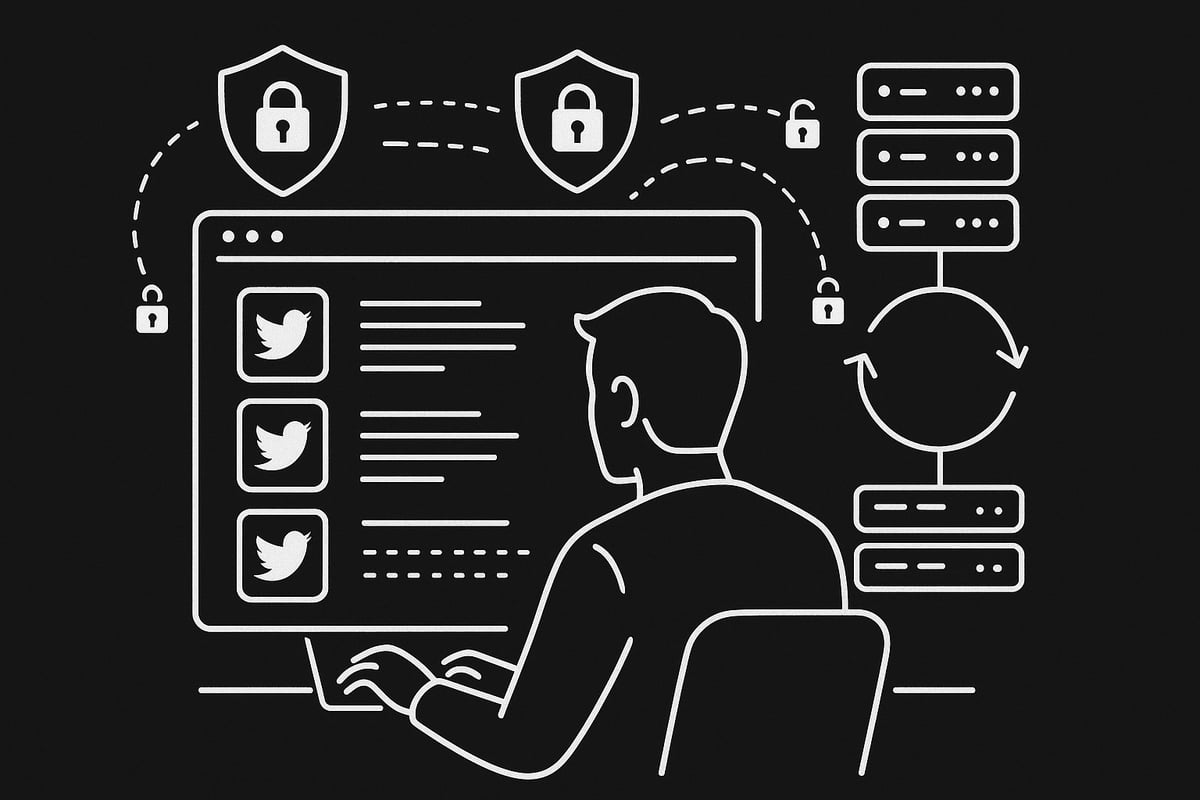
Avoiding Detection and Bans
Staying under Twitter’s radar is crucial when using proxy twitter solutions. Mimic genuine user behavior by varying your activity timing and avoiding repetitive patterns. Use rotating proxies to mask your IP address, making it harder for Twitter to link your actions.
- Space out tweets and logins to look authentic
- Rotate your proxies regularly
- Avoid posting identical content across accounts
A social media manager who managed 20 accounts without bans did so by mixing up posting times and using a large proxy pool. Remember, consistent proxy twitter routines help you avoid detection.
Maintaining Security and Privacy
Protecting your data is a top priority with proxy twitter setups. Always choose HTTPS proxies to encrypt your connection and shield your information from prying eyes. Update your passwords frequently and enable two-factor authentication for all accounts.
- Use only proxies with strong encryption standards
- Change login details on a regular schedule
- Prefer providers with a strict zero-log policy
A secure proxy twitter provider will never store your browsing data, keeping your activities private.
Managing Multiple Twitter Accounts Responsibly
Handling several accounts through proxy twitter services demands careful planning. Create each account with a unique device fingerprint, and verify with different emails or phone numbers to prevent cross-linking by Twitter.
- Use separate browsers or device profiles
- Authenticate each account with fresh contact info
- Leverage management tools for organized scheduling
Smart proxy twitter management includes using tools that let you juggle 10 or more accounts without leaving a digital trail.
Monitoring Proxy Performance and Health
Reliable proxy twitter connections depend on consistent performance. Use monitoring tools to track uptime and speed. If you notice slowdowns or frequent disconnects, switch to a new IP or provider.
| Feature | Industry Standard |
|---|---|
| Uptime | 99.9% |
| Bandwidth | 10Gbps |
| IP Rotation | 1ms-10min |
Stay proactive by reviewing proxy twitter health weekly to avoid interruptions.
Staying Updated on Twitter’s Proxy Policies
Twitter’s stance on proxies changes over time. Keep an eye on official updates, especially regarding automation and account access. Adapt your proxy twitter practices as policies evolve.
Check Twitter’s developer documentation and trusted news sources for alerts. For example, new API rules may impact how you configure your proxies.
Updating your proxy twitter setup regularly ensures you remain compliant and effective.
Ethical and Legal Compliance
Ethical proxy twitter usage is non-negotiable. Always respect Twitter’s rules and your local laws. Avoid spamming, harassment, or any illegal activity that could harm others or the platform.
For a deeper dive into responsible practices, check out this Ethical proxy usage tips guide. Sustainable proxy twitter use is built on ethical choices that protect both your accounts and the platform’s integrity.
Advanced Tips and Troubleshooting for Twitter Proxies in 2025
Navigating the world of proxy twitter in 2025 can seem complex, especially as Twitter tightens its policies and detection methods. With the right strategies and a few technical tricks, you can overcome most challenges. Let's dive into the advanced techniques and common troubleshooting steps to ensure your proxy twitter setup remains efficient and secure.
Dealing with Geo-Restrictions and Content Blocks
Geo-restrictions can block you from accessing certain Twitter content based on your location. With proxy twitter, you can easily bypass these blocks by connecting through an IP address in a permitted region. This is especially useful if you need to view trending topics, participate in region-specific campaigns, or access information in countries with government censorship.
To switch locations, choose a proxy server from your provider that matches the country you want to appear from. Many proxy twitter services offer dashboards where you can select IPs from different regions in just a few clicks. This flexibility is crucial for marketers, journalists, or anyone wanting unrestricted access to global conversations.
If you want to understand more about how content gets restricted, check out this overview of Censorship by Twitter.
Automating Twitter Safely with Proxies
Automation tools can help you streamline posting, scheduling, and engagement. However, using proxy twitter with automation requires caution. Twitter actively detects and limits automated behavior, so you need to follow best practices to avoid account bans.
Always use rotating proxies to distribute requests across multiple IPs. Set conservative rate limits for your bots, mimicking natural user actions. For example, avoid mass-following or rapid posting. Many automation tools, like Jarvee or custom scripts, let you enter proxy twitter settings directly in their configuration panels.
Here's a quick code snippet for integrating a proxy in Python with Tweepy:
import tweepy
proxy = 'http://username:password@proxy_ip:proxy_port'
api = tweepy.API(auth, proxy=proxy)
Monitor your accounts for unusual activity notifications, and always test your scripts with low-volume tasks first.
Scaling Up: Managing Large Twitter Operations
If you manage dozens or even hundreds of accounts, scaling your proxy twitter setup is essential. Agencies and enterprise users often use large pools of proxies to balance traffic and minimize the risk of IP bans.
A good strategy is to assign a unique proxy to each account or small group of accounts. This prevents cross-account contamination and reduces the chance of all your accounts being flagged at once. Use load-balancing tools or proxy management software to rotate and monitor IPs efficiently.
| Scaling Tip | Benefit |
|---|---|
| Unique proxy per acct | Lowers risk of mass bans |
| Load balancing | Ensures stable, reliable connections |
| Proxy pool monitoring | Quickly detects and replaces bad IPs |
Keep detailed logs of your proxy twitter activity to spot trends, failures, or bans early.
Monitoring for Proxy Blacklisting and Avoidance
A common challenge with proxy twitter is encountering blacklisted IPs. Signs include repeated login errors, CAPTCHAs, or shadowbans. If you face these, immediately rotate to a new IP. Many providers offer automatic IP rotation, which can help you stay ahead of blacklists.
You can check your current IP status using online tools or by monitoring Twitter’s response codes. If issues persist, contact your provider for fresh IP pools. Regularly updating your proxy twitter setup and staying proactive helps you maintain uninterrupted access.
Best practice checklist:
- Monitor login attempts and error messages
- Rotate IPs regularly
- Switch providers if blacklisting persists
Solving Persistent Access and Verification Issues
Sometimes, even the best proxy twitter configuration will trigger verification hurdles, such as repeated CAPTCHAs or locked accounts. This can happen if Twitter detects suspicious activity or if your proxy IP has a bad reputation.
To resolve persistent problems:
- Clear your browser cache and cookies before logging in
- Use residential or mobile proxies for higher trust scores
- Complete any required phone or email verifications promptly
If your account remains blocked, reach out to your proxy provider’s support for guidance. For context on how legal and compliance issues may impact access, review the latest Twitter's Legal Challenges.
Staying informed and flexible with your proxy twitter setup ensures you can adapt quickly to new restrictions or technical issues.
Frequently Asked Questions About Twitter Proxies in 2025
Many users have questions about using a proxy twitter solution in 2025. Below, we address the most common concerns for beginners, focusing on legality, account safety, technical setup, and proxy quality.
Is Using a Proxy for Twitter Legal?
The legality of using a proxy twitter setup depends on where you live and how you use it. In many countries, using a proxy is legal for privacy or bypassing restrictions, provided you do not break local laws or Twitter's terms of service.
Twitter's policies prohibit certain activities, like automating spam or scraping large amounts of data. If you use a proxy twitter service for ethical browsing or managing multiple personal accounts, you generally stay compliant. However, using proxies to avoid bans or commit fraud can result in legal issues or account suspension.
For more on how Twitter's audience varies by region and policy, see the latest Twitter User Demographics 2025. Always check your local laws and Twitter's rules before connecting.
Will Twitter Ban My Account for Using a Proxy?
Using a proxy twitter connection does not automatically lead to a ban. The risk increases if you display suspicious behavior, such as rapid account creation, aggressive automation, or logging in from many locations in a short period.
Most bans happen when Twitter detects unusual activity patterns, rather than just proxy use. Using high-quality proxies with dedicated IPs and rotating addresses helps reduce risk. According to recent findings, accounts using reputable proxies face far fewer bans than those using free, shared, or low-quality services.
To stay safe, avoid logging in from blacklisted IPs and follow Twitter’s activity guidelines. A proxy twitter approach is safest when paired with responsible account management.
How Do I Know If My Proxy Is Working?
You can verify your proxy twitter setup in a few simple steps. First, check your IP address before and after connecting to the proxy. Many websites, like whatismyip.com, show your public IP and location.
Next, log in to Twitter and ensure you can browse and post without errors. If you see messages about unusual login attempts, or are prompted for CAPTCHAs, your proxy setup may need adjusting.
Here’s a quick test using a code snippet:
import requests
proxies = {'http': 'http://yourproxy:port', 'https': 'https://yourproxy:port'}
response = requests.get('https://api.ipify.org', proxies=proxies)
print(response.text)
If the IP displayed is your proxy’s and Twitter loads smoothly, your proxy twitter configuration is working.
Can I Use Free Proxies for Twitter?
While free proxy twitter solutions exist, they come with serious risks. Free proxies are often unreliable, slow, and shared by many users. This increases the chance of your IP being blacklisted, which can lead to account bans or loss of access.
Security is also a concern. Free proxies may log your data, inject ads, or even spread malware. Many users who tried free proxies report frequent login issues and compromised accounts.
For reliable access and privacy, investing in a reputable proxy twitter provider is strongly recommended. Paid services offer better security, dedicated support, and consistent performance.Now that you know what proxies are and how they unlock a safer more flexible Twitter experience in 2025 you’re ready to put this knowledge to work Whether you want to manage multiple accounts bypass restrictions or just enjoy more privacy the right proxy makes all the difference With PinguProxy you get high speed unlimited access and a zero log policy - all backed by real support every step of the way Ready to take control of your Twitter journey and set things up the right way Get Started Now