
Guide to Use Proxy Server Effectively in 2025
In 2025, protecting your online privacy, securing sensitive data, and accessing restricted content are more crucial than ever. Whether you are an individual or a business, knowing how to use proxy server technology can make all the difference.
This guide gives you a clear, practical roadmap to use proxy server solutions effectively in 2025. You will learn about the latest proxy features, real-world use cases, and step-by-step instructions for setup and advanced configurations.
Ready to boost your security, anonymity, and online freedom? Follow along for actionable advice and best practices to use proxy server tools confidently in the digital landscape ahead.
Understanding Proxy Servers in 2025
In 2025, knowing how to use proxy server technology is crucial for anyone seeking online privacy and greater access. Proxy servers have evolved to meet new security challenges and offer more advanced features than ever before. Let’s break down their fundamentals and latest innovations.
What is a Proxy Server?
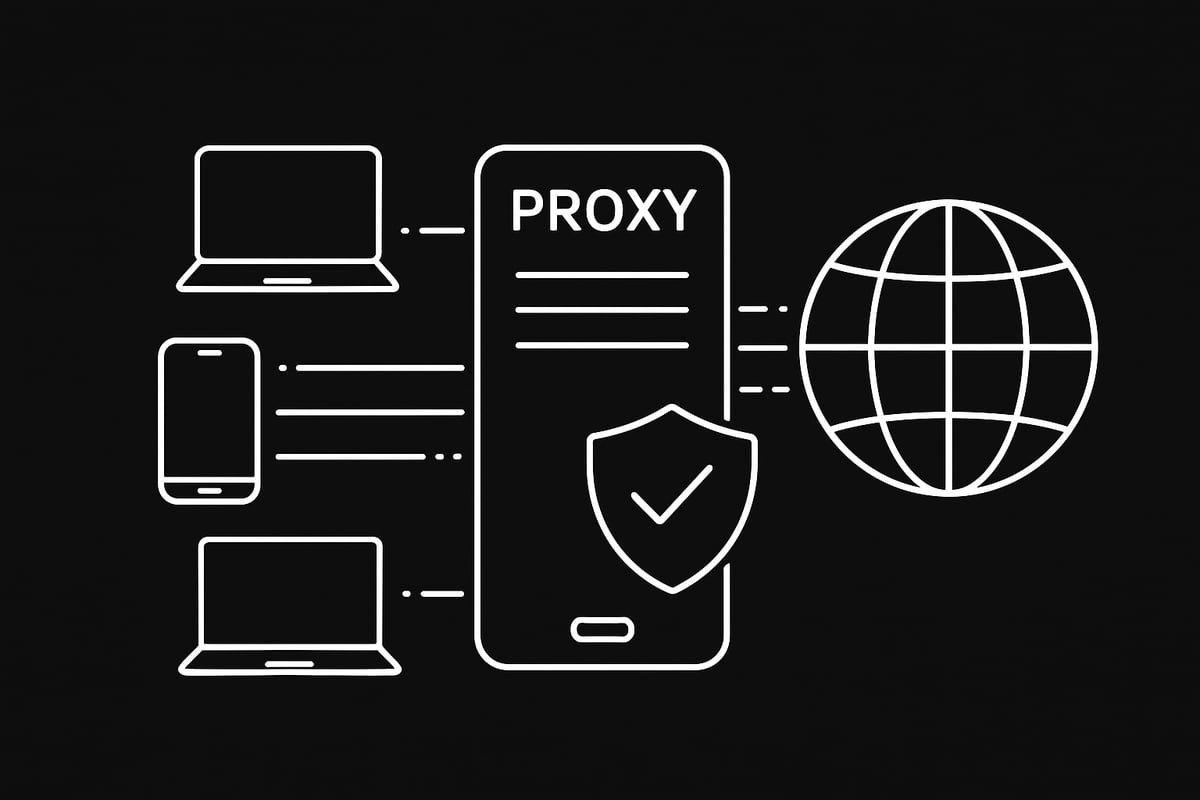
A proxy server is a system that acts as a bridge between your device and the internet. When you use proxy server tools, your requests go through this intermediary, which masks your original IP address and assigns a new one. This process helps protect your identity and location.
For example, if you are in the US and want to access a UK-only website, you can use proxy server settings to appear as if you are browsing from the UK. According to Fortinet, over 25% of enterprises now use proxy server solutions for secure access. While similar to VPNs and firewalls, proxies focus on anonymity and request routing rather than full traffic encryption or threat blocking.
Types of Proxy Servers
There are many ways to use proxy server options based on your needs. Common types include HTTP, HTTPS, and SOCKS5 proxies, which are popular for general browsing and gaming. Transparent proxies offer limited privacy, while reverse proxies help manage incoming traffic to servers.
You’ll also find residential, datacenter, and mobile proxies. For example, datacenter proxies are great for web scraping, while mobile proxies excel at managing social media accounts. Modern proxies support both IPv4 and IPv6. In 2025, more users are adopting mobile and rotating proxies for flexibility and reliability. To explore more, check out this Types of proxy servers explained guide.
How Proxy Servers Work
When you use proxy server configurations, your device sends requests to the proxy, which then forwards them to the intended website. The response comes back through the proxy before reaching you. This process not only hides your IP but can also change your apparent location.
For instance, you can use proxy server setups to bypass geo-restrictions for streaming services. This system increases your security by preventing websites and hackers from accessing your true device directly. The proxy acts as a buffer, minimizing your online exposure.
Core Benefits of Using Proxy Servers
Learning how to use proxy server tools brings several advantages:
- Enhanced privacy and anonymity for users
- Ability to bypass content blocks and censorship
- Improved security against tracking and attacks
- Load balancing and faster connections for businesses
Real-world scenarios include using proxies behind corporate firewalls, verifying digital ads, gaming with lower ping, and scraping data for business intelligence. By adopting proxy solutions, users and organizations can stay ahead in the fast-changing digital world.
Common Use Cases and Applications in 2025
In 2025, the need to use proxy server technology is more widespread than ever. Individuals and organizations are embracing proxies to maintain privacy, bypass restrictions, automate data tasks, and secure sensitive activities. Let’s explore the most common ways people use proxy server tools in today’s digital world.

Privacy and Anonymity Online
More people and businesses use proxy server services to shield their online identity and protect sensitive information. Whether you are a journalist, activist, or everyday user, proxies help mask your IP address, making it much harder for ISPs, hackers, or surveillance entities to track your activity. For instance, proxies enable secure communication for journalists reporting from restrictive countries. Industry reports show a 40% increase in privacy proxy adoption since 2022, a trend echoed in Proxy Server Market Growth Projections pointing to growing awareness and adoption of these tools for privacy.
Accessing Geo-Restricted Content
Users now use proxy server options to unlock streaming platforms, gaming services, and region-restricted websites. By routing your connection through a server in a specific country, you can watch live sports or play games unavailable in your area. This is especially useful for global events or exclusive releases. However, it’s important to be aware of legal and ethical implications in 2025, as some services strictly regulate access based on location. Always use proxy server solutions responsibly and in accordance with platform guidelines.
Web Scraping and Data Collection
Organizations and developers use proxy server resources to automate web scraping for business intelligence, price monitoring, and competitive analysis. Rotating proxies help bypass IP bans and rate limits, making large-scale data collection possible. For example, e-commerce companies rely on datacenter proxies to track price changes across thousands of products. By rotating IPs, they avoid detection and ensure continuous data access. Using a reliable proxy network is crucial for this kind of automated task.
Enhanced Security for Businesses
Businesses use proxy server configurations to control employee internet access, prevent sensitive data leaks, and block malicious websites. By funneling all traffic through a secure proxy, companies can monitor activity, enforce internet policies, and add a layer of defense against cyber threats. For example, many enterprises now deploy proxies to support secure remote work environments, ensuring that only authorized users can reach internal resources. This approach also helps maintain compliance with industry regulations and protects company assets.
Step-by-Step Guide: Setting Up and Using a Proxy Server in 2025
Setting out to use proxy server technology in 2025 is easier and more versatile than ever. Whether your goal is to boost privacy, bypass restrictions, or manage business operations, you need the right setup from the start. This guide walks you through each step, ensuring you maximize both security and speed.
Choosing the Right Proxy Type
Before you use proxy server options, identify your specific needs. Are you looking for the fastest speeds, maximum privacy, or access to geo-restricted content? Your answer determines the best proxy type.
- Datacenter proxies: Ideal for bulk web scraping and automation. They offer speed but may be easier to detect.
- Residential proxies: Great for anonymity and bypassing stricter geo-blocks. These use real IP addresses from ISPs.
- Mobile proxies: Perfect for tasks like ad verification or social media management, since they use real mobile devices.
- SOCKS5 and HTTPS proxies: Offer flexibility for various protocols and encryption.
IPv4 proxies remain the standard, but IPv6 support is growing, ensuring future compatibility. Consider rotating proxies if you need continuous access without bans. When you use proxy server solutions, matching the type to your activity is crucial for efficiency and security.
Setting Up a Proxy on Windows, macOS, and Mobile
Ready to use proxy server features on your device? Here’s how to configure them across popular platforms:
Windows 10/11:
- Go to
Settings > Network & Internet > Proxy. - Choose automatic or manual setup.
- Enter the proxy IP address and port.
- Fill in authentication details if required.
macOS:
- Open
System Settings > Network. - Select your network, click
Details, then go toProxies. - Choose the proxy protocol (HTTP, HTTPS, SOCKS5), enter server details and credentials.
iOS/Android:
- Open Wi-Fi settings and tap your network.
- Find
Proxysettings, selectManual. - Enter proxy IP, port, and authentication.
It's important to use proxy server settings that match your provider’s instructions. For a more comprehensive walkthrough, you can check out the Proxy server setup guide.
Configuring Proxies for Browsers and Applications
Browsers and apps often have their own proxy options. To use proxy server settings in Chrome, Firefox, or Edge:
- Access browser settings and search for
proxy. - Enter the proxy IP and port.
- Add authentication if prompted.
For applications like web scrapers, SEO tools, or gaming apps:
- Open network or proxy settings within the app.
- Input your proxy details.
You can set up bypass lists for local addresses (e.g., add *.example.com to skip the proxy for certain sites). This ensures that internal or trusted resources remain directly accessible, making your use proxy server workflow smoother.
Using Proxy Setup Scripts and Automatic Configuration
Large organizations and power users often use proxy server automation to streamline management. Proxy auto-configuration (PAC) files allow dynamic assignment based on URL or resource.
Example PAC file snippet:
function FindProxyForURL(url, host) {
  if (dnsDomainIs(host, ".example.com")) {
    return "DIRECT";
  }
  return "PROXY 192.168.1.1:8080";
}
To use proxy server scripts:
- Download or receive the PAC file from your provider or IT team.
- In your device’s proxy settings, select
Automatic configurationand input the PAC file URL.
This method reduces manual errors and lets you update proxy rules centrally, saving time and improving consistency.
Advanced Proxy Features in 2025
When you use proxy server technology in 2025, advanced features offer a major edge:
- IPv6 support: Ensures compatibility with the newest internet standards.
- 1ms proxy rotation: Instantly changes your IP for every request, boosting anonymity.
- AI-driven security integration: Automates threat detection and proxy management.
- Automation: Schedule or trigger proxy changes for web scraping, ad verification, or privacy.
For instance, continuous data scraping is now possible with automated proxy rotation, minimizing bans. These innovations make it even easier to use proxy server solutions for sensitive or large-scale tasks.
How PinguProxy Enhances Proxy Usage in 2025
PinguProxy redefines how you use proxy server options by offering both high-speed datacenter and mobile proxies with robust IPv4/IPv6 support. Their platform includes unlimited bandwidth, rapid 1ms IP rotation, and a zero-log privacy policy.
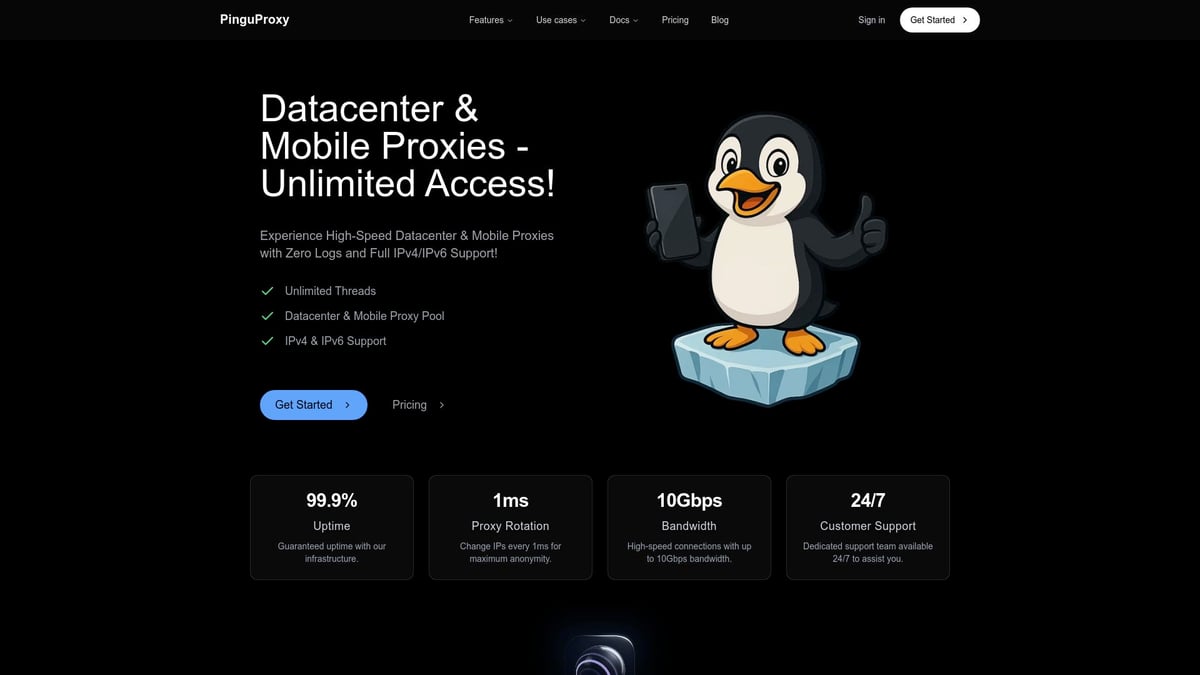
You’ll experience 99.9% uptime and global coverage, making it a top choice for web scraping, gaming, content access, or enterprise security. The user dashboard is intuitive, featuring 24/7 support, free TOR, and mobile proxies.
Many businesses use proxy server solutions from PinguProxy for scalable, anonymous, and reliable connections, ensuring peace of mind in a fast-evolving digital world.
Advanced Configuration and Best Practices
Mastering advanced configuration is essential if you want to use proxy server technology to its fullest in 2025. In this section, we’ll break down the most effective techniques, security tips, and best practices for individuals and businesses who want to stay secure, anonymous, and efficient in a rapidly evolving digital landscape.
Rotating Proxies and Load Balancing
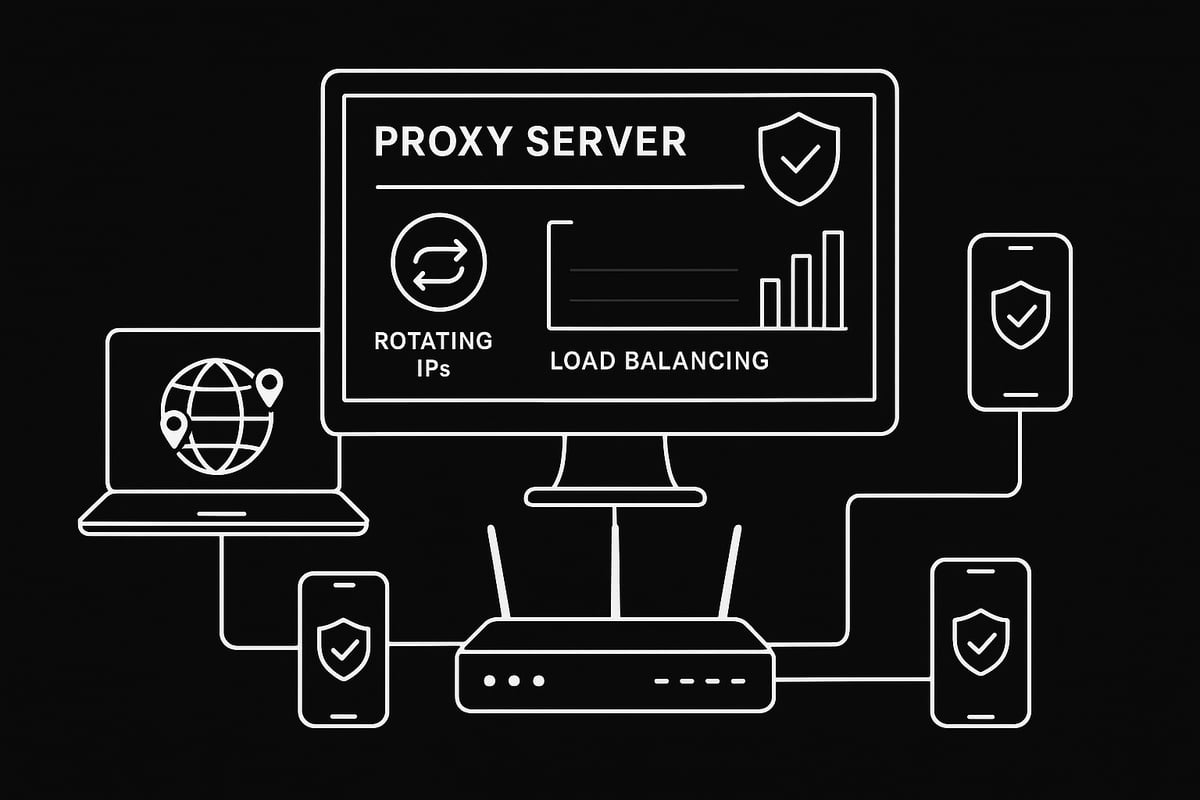
When you use proxy server configurations for web scraping or automation, rotating proxies and load balancing become crucial. Rotating proxies assign a new IP address for each request, helping you avoid bans and CAPTCHAs. Load balancing distributes your internet traffic across multiple proxies, boosting speed and reliability.
For example, a marketing team scraping data can set up automated tools to rotate proxies every request, ensuring each connection appears unique. This approach not only maintains anonymity but also prevents server overload. To use proxy server solutions effectively, always choose providers that offer smart rotation and built-in load balancing.
Using Proxies for Multiple Devices and Networks
Expanding how you use proxy server setups across various devices and networks can streamline workflows and protect entire environments. By configuring a proxy on your home or office router, all devices on the network benefit from privacy and security without individual setup.
Businesses often manage pools of proxies for teams, allowing marketing agencies or research groups to handle multiple accounts and tasks efficiently. When you use proxy server pools, it’s easier to automate processes and maintain consistent access. Always document IP assignments and update credentials to keep your network running smoothly.
Security Considerations and Threat Mitigation
Security must be at the core when you use proxy server technology, particularly in business environments. Risks include data interception, malicious proxies, and DNS leaks. To mitigate these threats, always select reputable providers and enable encryption for all proxy connections.
Implement authentication and monitor proxy logs to detect unusual activity. For enterprise-level deployments, consider advanced best practices outlined in Securing Proxy Servers in Corporate Networks. Regularly test for IP leaks, and educate users about the dangers of free and unverified proxies.
Legal and Ethical Guidelines
It is vital to use proxy server solutions responsibly and in compliance with laws and service terms. Ethical use includes respecting website policies, avoiding illegal activities, and being transparent with data collection. In 2025, regulations are stricter, so always check local laws before deploying proxies.
For further guidance, explore Ethical proxy usage tips to ensure you stay on the right side of compliance. Remember, ethical scraping and research protect your reputation and reduce legal risks. When you use proxy server tools ethically, you support a safer internet for everyone.
Monitoring and Optimizing Proxy Performance
To use proxy server technology efficiently, regular monitoring and optimization are essential. Utilize tools that measure speed, latency, and uptime for each proxy in your pool. If you notice slowdowns, troubleshoot by switching to servers closer to your physical location or by testing bandwidth.
Create bypass lists for local addresses to streamline network performance. Many businesses rotate proxy regions to maximize streaming speeds or avoid regional throttling. By continuously tracking performance metrics, you ensure that you use proxy server resources to their full potential.
Integrating Proxies with VPNs and Other Security Tools
Combining how you use proxy server setups with VPNs or other security tools creates a powerful, layered defense. This is especially valuable for sensitive research, bypassing advanced geo-blocks, or protecting high-risk communications.
For example, journalists often use proxy server and VPN combinations to safeguard both identity and connection data. Application-level integration is possible too, with scraping bots or gaming platforms benefiting from multiple security layers. Always test compatibility and monitor for conflicts when stacking security solutions.
Staying Updated: Proxy Trends and Innovations in 2025
Staying current is crucial if you want to use proxy server solutions effectively. Innovations like AI-driven proxy management, smart geo-targeting, and automated IP rotation are reshaping the landscape. Enterprises are quickly adopting these technologies to enhance threat evasion and network efficiency.
Keep an eye on industry news and provider updates to leverage the newest features. As you use proxy server strategies in 2025, adaptability and ongoing learning will be your keys to success.
Troubleshooting Proxy Issues and FAQs
Having trouble when you use proxy server solutions? Even in 2025, proxy issues can crop up for both beginners and advanced users. Let’s walk through common problems, quick fixes, and best practices to keep your proxy experience smooth and secure.
Diagnosing Common Proxy Problems
If you use proxy server setups and run into errors, start with basic diagnostics. Common issues include connection failures, authentication errors, or DNS mishaps.
To troubleshoot:
- Double-check proxy server address and port.
- Confirm username and password if required.
- Test your network connection.
- Try disabling and re-enabling the proxy setting.
If you see “Proxy server not responding,” it often means the server is offline or the configuration is wrong. Refer to official Troubleshooting proxy issues guides for step-by-step fixes. Staying methodical helps you quickly identify and resolve the root cause.
Resolving Slow Speeds and Connection Drops
When you use proxy server connections and notice slow speeds, several factors could be at play. Overloaded proxy servers, ISP throttling, or distant proxy locations may impact performance.
Try these solutions:
- Switch to a less crowded proxy server.
- Test your bandwidth without the proxy.
- Choose a proxy closer to your physical location.
Streaming quality often improves simply by changing proxy regions. If persistent drops occur, check your network stability or consider upgrading your proxy plan for better reliability. Remember, a fast and stable proxy is crucial for seamless browsing and streaming.
Fixing Application-Specific Proxy Issues
Sometimes, you use proxy server settings that work in your browser but not in other apps. This mismatch often happens because applications may need their own proxy setup.
Tips to fix:
- Check if the app has built-in proxy settings.
- Use system-level proxy settings for global coverage.
- Add exceptions or bypass rules for local addresses.
For example, a scraping tool may ignore browser proxy settings, requiring direct configuration. If you encounter issues, consult the application's documentation for proxy compatibility. Consistency across devices and applications ensures a smoother experience.
Security and Privacy Troubleshooting
Security is a top priority when you use proxy server options. Risks include IP leaks, malicious proxies, or weak encryption. To safeguard your privacy, always select reputable providers and use encrypted protocols like HTTPS or SOCKS5.
Steps to check:
- Run IP leak tests to confirm anonymity.
- Monitor logs for suspicious activity.
- Enable authentication and encryption.
Be wary of free proxy services, as research like the Free Proxy Services Vulnerability Analysis highlights potential vulnerabilities. Following best practices keeps your data safe and your browsing private.
Frequently Asked Questions About Proxy Usage in 2025
Curious about the way you use proxy server technology in 2025? Here are some top FAQs:
- Can proxies bypass all geo-restrictions? Not always, some services detect and block proxies.
- Are proxies legal everywhere? Laws vary by country, so check local regulations.
- How do proxies differ from VPNs? Proxies route specific traffic, while VPNs encrypt all traffic.
- What’s the best way to rotate proxies? Use automated tools for smooth rotation.
- Can businesses deploy proxies for remote teams? Yes, many enterprises securely manage remote access with proxies.
If you use proxy server solutions wisely, you’ll enjoy safer, faster, and more flexible internet access in 2025.Now that you’ve seen how proxies can boost your privacy, help you access restricted content, and keep your online activity secure in 2025, why not take the next step? With PinguProxy’s high speed datacenter and mobile proxies, plus features like unlimited bandwidth and rapid IP rotation, you’re set up for a smoother, safer online experience - whether you’re scraping data, gaming, or just browsing with peace of mind. Ready to put these strategies into action and experience top notch privacy and performance for yourself? Get Started Now